Dwara
Nathan Auyeung
—
Citation Manager ke features jo academic skills ko support karte hain

Nathan Auyeung
Senior Accountant EY mein
Bachelor ka Accounting mein Graduation kiya, aur ek Postgraduate Diploma of Accounting bhi poora kiya
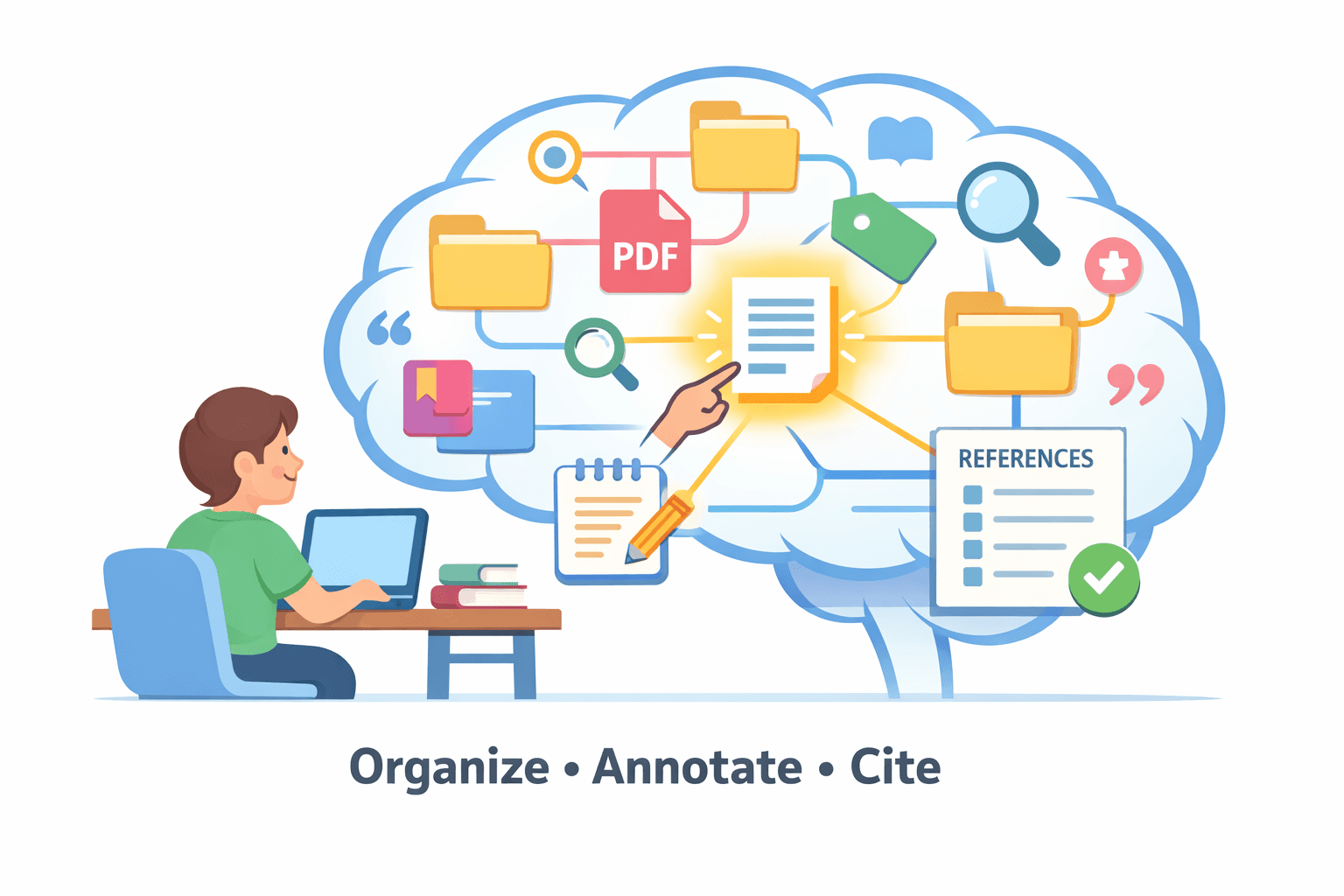
Citation managers sirf bibliographies banana hi nahi karte. Agar aap abhi bhi decide kar rahe hain ki software par rely karna chahiye ya nahi, toh humara citation software vs manual referencing comparison trade-offs ko break down karta hai. Ye poore research process ke liye ek foundation hain, jo quietly shape karte hain ki aap sources kaise gather karte hain, papers ko annotate karte hain, aur drafts ke beech kaise move karte hain. Naye students ke liye, automatic citation star feature hai. Lekin established researchers ke liye, real test ye hai ki kya software massive libraries, long-term projects, aur team collaboration ko bina fail huye manage kar sakta hai.
<CTA title="Organize Research Before Writing Breaks Down" description="Turn scattered sources into a structured research workflow so citations, notes, and drafts stay connected."buttonLabel="Try Jenni Free"link="https://app.jenni.ai/register"/>
Ek smooth process aur constant headache ke beech ka difference usually specific tools ke available hone aur wo aapke actual habits se kitna match karte hain, ispar depend karta hai. Ye piece un features ko break down karta hai jo genuinely matter karte hain, explain karta hai ki unki importance aapki research grow hone ke saath kaise badalti hai, aur unhe evaluate karne ka ek practical tareeqa offer karta hai.
Why Citation Manager Features Matter More Than Tool Names
Bohot se students aur researchers ko citation tools se introduce institutional access ke zariye karwaya jata hai na ki personal fit ke, ek pattern jo aam taur par discussed hai guides comparing reference management tools for students and researchers mein. Features ko compare karne se pehle ek quick baseline ke liye, humara overview dekhein ki citation manager kya hai.
Ye ek easy choice hai. Lekin us choice ka matlab usually ye hota hai ki aap software jo kar sakta hai uska sirf half hi use kar paate hain. Kabhi kabhi aap iske saath fight kar rahe hote hain, ise wo cheezein karwane ki koshish karte hain jiske liye ye bana hi nahi tha.
Reality ye hai:
Koi bhi single tool har type ki research ke liye perfectly kaam nahi karta.
Jo ek glitch ya flaw jaisa lagta hai, wo often sirf ek mismatch hai. Software us particular problem ko solve karne ke liye design nahi kiya gaya tha jo aap face kar rahe hain.
Ek so-called "powerful" ya "professional" manager slow aur frustrating lag sakta hai agar uske strengths aapki daily habits se line up nahi karte.
Toh, ye question bhool jaiye "Which citation manager is best?" Ye galat question hai. Ek behtar question ye hai:
Mujhe apne research tools se mere liye kya karwana hai?
Answer find karne ka matlab hai brand name se aage dekhna aur specific hona ki ye programs actually kis cheez mein achhe hain.
<ProTip title="🗂️ Pro Tip:"description="Set up folders and tags before importing large batches of sources so your library stays searchable as it grows."/>
Core Organization Tools: Managing More Than Just Lists of Sources
Problem enough sources find karna nahi hai. Problem right source ko sahi waqt par find karna hai jab aapko uski zaroorat ho.
Aapke paas ek hazaar brilliant articles ho sakte hain, lekin agar wo ek pile mein buried hain, toh wo useless hain. Isliye aapke citation manager mein organization tools hi sab kuch hain.
Ye sirf neat nahi hain; ye necessary hain, aur ye reflect karte hain ki kaise ek citation manager ek central research system ke roop mein function karta hai na ki sirf ek simple reference generator ke, jaisa ki explained hai what is citation manager mein.
Jab aap thode se references ke saath ek project start karte hain, toh aapko lagta hai ki aap un sabhi ko yaad rakh sakte hain. Aap nahi rakh sakte. Jab tak aap couple hundred tak pahunchte hain, ek basic list se kaam nahi chalega. Aapko ek system chahiye, nahi toh aap apne hi material mein drown ho jayenge.
Key Organization Features to Look For
Feature | Purpose | Why It Matters |
Flexible Folders & Collections | References ko project, theme, ya methodology ke hisab se organize karein | Aapki library ko structured aur easily navigable rakhta hai |
Tags, Labels, & Keywords | Multiple themes ke across papers ko connect karein | Projects ke across relevant sources ka quick retrieval enable karta hai |
Notes Attached to References | Summaries, critiques, ya reminders directly likhein | Ensure karta hai ki insights source ke saath rahein aur lost ideas ko reduce karta hai |
Advanced Search & Filtering | Author, year, journal, ya full-text ke hisab se search karein | Literature reviews ke dauran aur key sources find karne mein time save karta hai |
Reference Deduplication | Duplicate entries ko automatically merge karein | Citation errors ko prevent karta hai aur credibility maintain karta hai |
Why this matters in practice
Jab aap deadline ke pressure mein hote hain, toh aap old notebooks ko dig karna ya fuzzy memory par rely karna afford nahi kar sakte. Ek well-organized library sirf storage nahi hai; ye aapke apne brain ka ek searchable, reliable extension hai.
Import and Capture Methods: How Sources Enter Your System
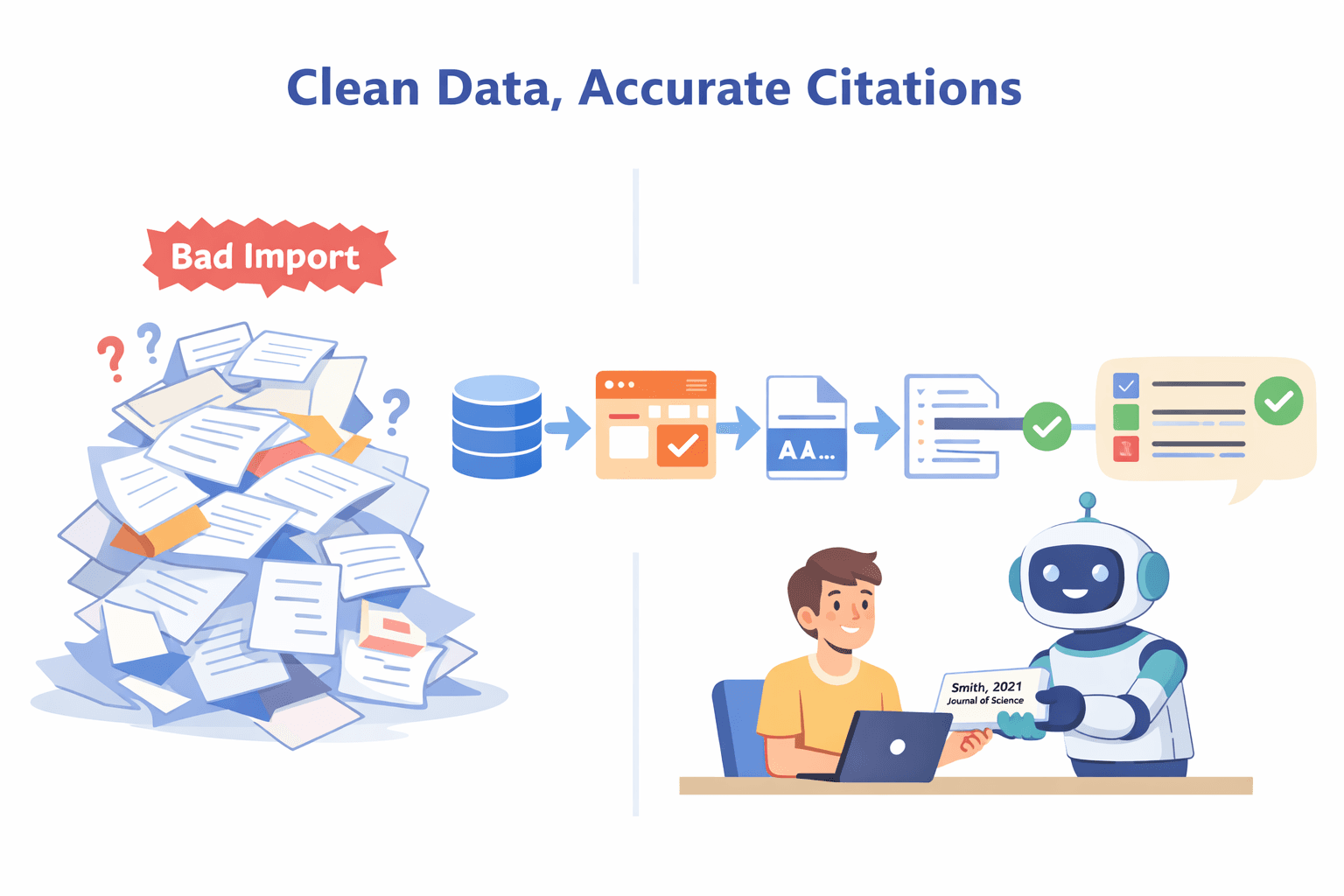
Why Import Quality Determines Citation Quality
Aapke paas duniya ka sabse powerful writing software ho sakta hai, lekin agar jo data aap usme daal rahe hain wo galat hai, toh sab kuch fall apart ho jata hai.
Ek messy import bohot saari problems ki root hai: missing authors, weird capitalization, in-text citations jo kisi cheez ko point nahi karte.
In mistakes ko hand se, ek ek karke fix karna, un ghanton ko eat up kar leta hai jo aapke paas nahi hain, especially jab tools drafting aur revision ke across friction reduce karne mein fail ho jaate hain, ek problem jo research mein explored hai how citation managers streamline academic writing workflows par.
Goal sirf ek source ko library mein laana nahi hai. Ise first time hi correctly laana hai.
Essential Import Features
Database Imports
Ek reference paane ka sabse cleanest tareeqa directly ek scholarly database se hai. PubMed, Web of Science, ya Scopus jaise places se structured imports ke liye support crucial hai.
Ye sources verified, complete metadata provide karte hain, toh aapko khud kuch type karne ki zaroorat nahi hoti.
Browser Citation Plugins
Aapko online ek perfect paper milta hai. Aap ise kaise save karte hain? Ek achha browser plugin aapko ise Google Scholar, ek publisher ki site, ya even ek government report se ek click mein grab karne deta hai.
Best wale smart hote hain; wo notice karenge agar record ke multiple versions hain aur aapko sabse complete one pick karne denge. Agar aap ek existing library ko consolidate kar rahe hain, toh humari Zotero and Mendeley integration guide walks through importing aur sab kuch ek jagah organize rakhne mein help karti hai.
Automatic Metadata Extraction
Aapke paas ek PDF hai jisme koi citation data attached nahi hai. Ek strong manager file ko read kar sakta hai aur author names, title, journal, aur DOI pull out kar sakta hai.
Kuch aur aage jaate hain aur abstract aur keywords grab kar lete hain, jo baad mein aapki library search karne ke liye incredibly useful hai. Ye feature unnamed PDFs ke ek folder ko ek organized database mein badal deta hai.
DOI, PMID, and ISBN Lookup
Ye tab ke liye hai jab aap backwards kaam kar rahe hote hain. Aapke paas ek reading list hai, ek scanned book chapter hai, ya sirf ek scrap of paper par likha hua DOI hai.
Manually citation build karne ke bajaye, aap us identifier ko paste kar sakte hain aur software ko aapke liye full, correct record find aur import karne de sakte hain.
Why this matters in practice
Clean, accurate data ke saath start karne ka matlab hai ki aap baad mein kisi mess ko clean nahi kar rahe hote. Jab aap likh rahe hote hain aur ek citation insert karte hain, toh aap trust kar sakte hain ki ye sahi hai. Ye drafting process se anxiety aur last-minute panic ki ek huge layer ko remove kar deta hai.
<ProTip title="🔍 Reminder:" description="Always scan imported references once for missing authors or dates before using them in drafts."/>
PDF Management: Where Reading and Referencing Converge
Why PDF Features Are a Deciding Factor
Bohot se logo ke liye, PDF hi work hai. Ye article hai, chapter hai, report hai. Agar aapka citation manager PDF ko sirf ek file ki tarah treat karta hai jise attach karke bhool jana hai, toh aapko apna workflow split karne par majboor hona padta hai.
Aap ek program mein read aur mark up karenge, phir citation manage karne ke liye dusre par jump karenge. Ye inefficient hai aur gap mein cheezein lost ho jaati hain.
Aapke citation tool ke andar achha PDF management us gap ko bridge karta hai. Ye ek single, continuous space create karta hai jahan find karna, read karna, aur source ko use karna sab ek saath hota hai.
Key PDF Management Features
Automatic Full-Text Retrieval
Kuch managers aapke liye PDF find karne ja sakte hain. Aap ek citation import karte hain, aur software aapki university ke subscriptions ya open-access repositories ko check karega actual file locate aur attach karne ke liye.
Ye ek chota feature hai jo monotonous searching aur downloading ka surprising amount of time save karta hai.
Built-in PDF Viewer
Ye fundamental hai. Apne citation manager ke andar directly PDF open aur read karne ka matlab hai ki aapke notes, highlights, aur reference data kabhi separate nahi hote. Aapko yaad rakhne ki zaroorat nahi hai ki kaun sa PDF kis bibliographic entry ke saath jata hai.
Annotation and Highlighting Tools
Aapko read karte waqt text ko mark up karne ke capable hona chahiye. Basics ke liye dekhein: multi-color highlights, inline comments ya sticky notes add karne ki ability, aur shayad simple drawing tools.
Key ye hai ki ye annotations manager ke ecosystem ke andar save hote hain, na ki sirf ek standalone PDF file mein.
Searchable Annotations
Yahan real power hai. Kya aap apni poari library ke sabhi notes aur highlights ke across ek term search kar sakte hain?
Har us jagah ko find kar pana jahan aapne "contradicts Smith" likha ya ek key methodology ko highlight kiya, transformative hai. Ye aapke readings ke collection ko ek interactive knowledge base mein badal deta hai.
Linking Annotations to Citations
Best systems aapko ek specific highlight ya note ko directly formatted citation se connect karne dete hain. Jab aap ek draft likh rahe hote hain, toh aap us exact snippet aur uske source ko couple of clicks ke saath pull up kar sakte hain, jisse aapka argument evidence se tightly tied rehta hai.
Why this matters in practice
Literature review passive reading nahi hai. Ye active extraction hai, aap ideas, quotes, aur data points pull out kar rahe hain.
Jab aapke reading tools aur aapke reference tools fused hote hain, toh aap logistics par mental energy waste karna band kar dete hain. Aap fragmentation ko reduce karte hain, aur aap actual thinking par focus kar sakte hain.
<ProTip title="📄 Pro Tip:" description="Use highlights for evidence and comments for your own analysis so notes stay useful during writing."/>
Citation and Writing Integration: Where Errors Usually Happen
Why Writing Integration Is Non-Negotiable
Aapke paas ek perfectly organized library ho sakti hai. Aapke paas spotless, imported data ho sakta hai. Lekin agar aapke citation manager aur aapke word processor ke beech ka connection weak hai, toh wahi par sab kuch fall apart ho jata hai.
Zyada tar mistakes tab nahi hoti jab aap pehli baar ek source add karte hain. Wo baad mein creep in karti hain, jab aap revisions ke deep mein hote hain, jab aapko ek naye journal ke liye formatting styles switch karni padti hain, ya jab aap different drafts ke sections ko merge kar rahe hote hain.
Ek flimsy connection ka matlab hai ki aapke citations break, disappear, ya khud ko incorrectly reformat kar sakte hain jaise aapka document change hota hai.
Ek strong integration ensure karta hai ki wo solid, stable, aur correct rahein chahe aap kitna bhi edit karein, yahi wajah hai ki bohot si evaluations of citation software citation accuracy mein ek major factor ke roop mein writing integration par emphasize karti hain.
Must-Have Writing Features
Feature | Description | Practical Impact |
“Cite While You Write” Plugins | In-text citations insert karein aur bibliography automatically update karein | Drafting ke dauran errors ko reduce karta hai aur time save karta hai |
Extensive Citation Style Support | Thousands of formatting styles ko support karta hai | Journal requirements ke saath compliance ensure karta hai |
Easy Style Switching | One click ke saath citation style change karein | References ke manual reformatting ko eliminate karta hai |
Citation Consistency Checking | Missing ya mismatched references ko flag karta hai | Submission errors ko prevent karta hai aur accuracy maintain karta hai |
BibTeX / LaTeX Compatibility | LaTeX documents ke liye clean .bib files export karein | STEM fields ke liye critical hai, smooth compilation ensure karta hai |
Why this matters in practice Citation errors aapke manuscript ko revisions ke liye wapas bheje jaane ka ek fast track hain, ya bad, reviewers aur editors ke saath aapki credibility ko damage karne ka.
Tight writing integration convenience ke baare mein nahi hai, ye ek defensive tool hai, particularly modern drafting environments mein jahan stable reference data structured revision ko support karta hai, ek issue jo closely tied hai how ai writing assistants work se.
Ye aapke kaam ki accuracy ko protect karta hai aur aapko preventable, last-minute panics se bachata hai.
<ProTip title="✍️ Note:" description="Insert citations while drafting instead of adding them later to avoid broken references during revisions."/>
Collaboration Features: Supporting Modern Research Teams
Why Collaboration Is No Longer Optional
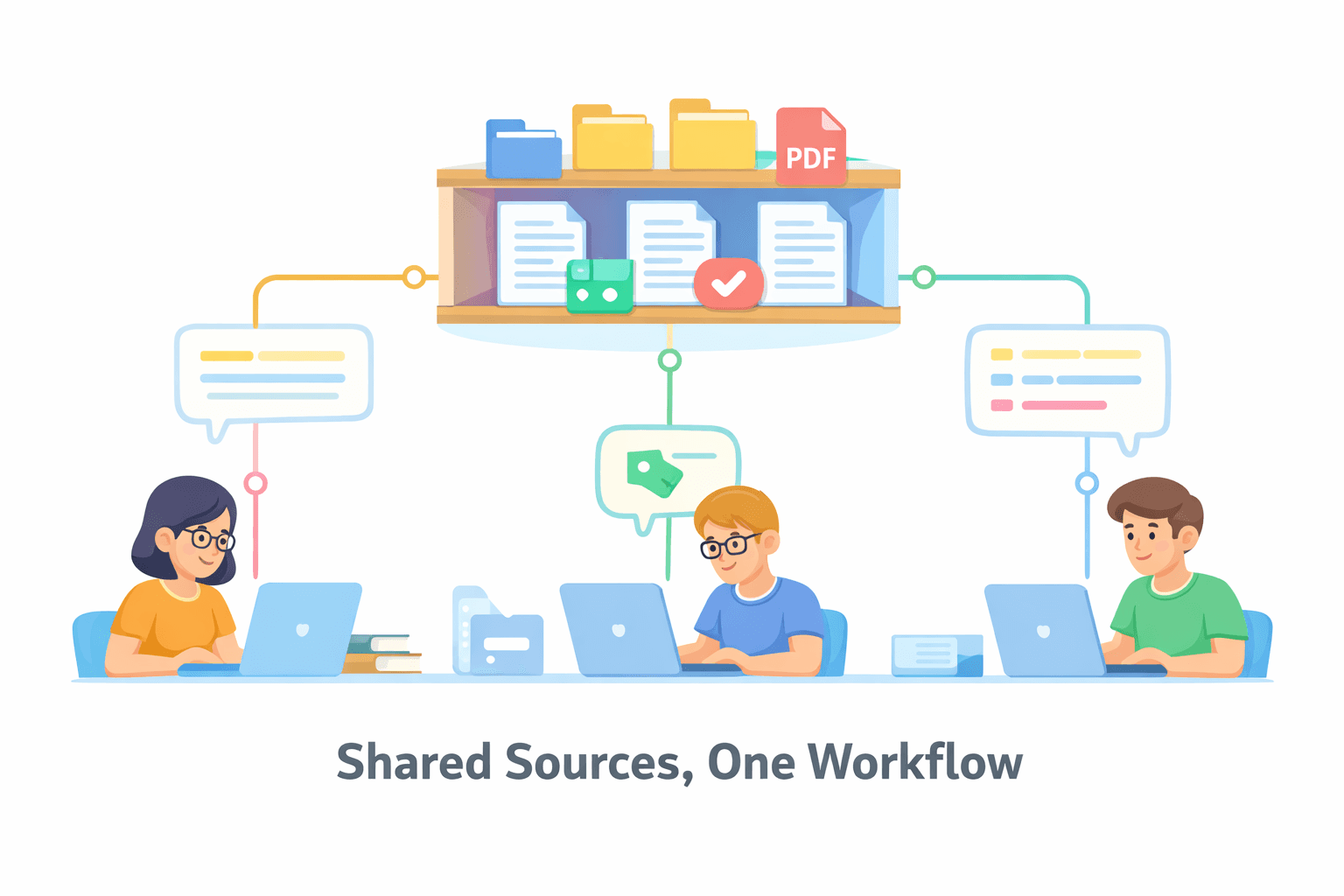
Ab completely akele kaam karna rare hai. Zyada tar research ek team effort hoti hai, chahe wo ek lab group ho, paper par co-authors hon, ya ek long-distance project ho. Aapke sources ke liye ek shared system ke bina, cheezein bohot jaldi messy ho jaati hain.
Aapke paas log same articles ko separately search kar rahe hote hain, unhe different ways mein cite kar rahe hote hain, ya outdated lists se kaam kar rahe hote hain. Ek shared library luxury nahi hai; ye modern work ke liye basic infrastructure hai.
Collaboration Features to Evaluate
Shared Libraries or Folders
Core function. Aapko ek library ya ek specific folder create karne ke capable hona chahiye jise multiple log access kar sakein.
Har kisi ko naye references add karne, PDFs attach karne, aur apne khud ke notes aur highlights likhne ke capable hona chahiye. Ye project ki literature ke liye single source of truth ban jata hai.
Permission Controls
Har kisi ko same level of access ki zaroorat nahi hoti. Aapko kuch team members ko as viewers set karne ke capable hona chahiye (wo read aur use kar sakte hain, par change nahi) aur dusron ko as editors.
Ye kisi ko galti se crucial reference delete karne ya ek shared note edit karne se rokta hai jispar aap rely kar rahe the.
Comments and Task Notes
Ye coordination ke liye hai. Personal annotations se aage, aapko ek reference par directly ek dusre ke liye notes chodne ka ek tareeqa chahiye.
Ek comment jaise "Emma, kya aap is data ko verify kar sakti hain?" ya "Hamein ise intro mein use karna chahiye" conversation ko source material se attached rakhta hai aur next steps ko clarify karta hai.
Real-Time Syncing
Jab ek person ek naya paper ya note add karta hai, toh baaki sabhi ko ye almost immediately dikhna chahiye. Ek system jo manual refreshes require karta hai ya din mein sirf ek baar sync karta hai, confusion create karta hai aur logo ko different information se kaam karne par lead karta hai.
Why this matters in practice
Achhe collaboration tools wasted effort aur miscommunication ko cut down karte hain. Wo joint paper ke liye literature review, ya lab ke liye ek shared reading list build karna, significantly smoother banate hain.
Jo time aap PDFs ko back aur forth email na karne mein ya different citation lists ko reconcile karne mein save karte hain, wo time hai jo aap actual research par spend kar sakte hain.
<ProTip title="🤝 Pro Tip:" description="Agree on citation styles and tagging rules with collaborators early to prevent cleanup work later."/>
Syncing, Storage, and Accessibility Across Devices
Why Accessibility Affects Long-Term Adoption
Aap sirf ek desk par kaam nahi karte. Aap library mein apne laptop par ek paper read kar sakte hain, meetings ke beech apne phone par ek reference check kar sakte hain, aur apne home computer par draft likh sakte hain.
Agar aapka citation manager aapko ek single device ya location mein lock kar deta hai, toh aap iske around kaam karna shuru kar denge. Aap khud ko PDFs email karenge, desktop par cheezein save karenge, aur eventually tool ka use karna hi band kar denge kyunki ye help se zyada ek hassle hai. Wo decision often isse start hota hai ki kya aap ek web-first tool chahte hain ya ek installed app—dekhein cloud vs desktop citation software ek workflow-based breakdown ke liye.
Ek manager ko wahan hona chahiye jahan aap hain, chahe aap koi bhi device use kar rahe hon. Otherwise, ye foundation ke bajaye ek barrier ban jata hai.
What to Look For
Cloud Syncing: Automatic sync ensure karta hai ki aapki library backed up hai aur devices ke across consistent hai.
Cross-Platform Support: Desktop apps, web interfaces, aur mobile apps aapko kahin bhi references access aur add karne dete hain.
Storage Limits: PDF storage caps check karein, especially free plans par; long-term projects ko paid options ki zaroorat ho sakti hai.
Offline Access: Full offline functionality aapke workflow ko uninterrupted rakhti hai, jisme changes online hone par sync ho jaate hain.
Ek achha citation manager aapke workflow ke saath kaam karta hai, uske against nahi, taaki aap technical hurdles ke bajaye research par focus kar sakein.
How to Choose Based on Your Research Profile
Ek single "best" tool find karna bhool jaiye. Right choice entirely ispar depend karti hai ki aap kya kar rahe hain, ek mindset jo how to choose ai writing tool par broader guidance ko mirror karta hai. Ek theoretical physicist ke liye ek brilliant tool ek historian ke liye disaster ho sakta hai jo rare books ke saath kaam kar raha hai.
Apne khud ke kaam ke baare mein kuch straightforward questions puch kar start karein:
Kya main akele kaam karta hoon ya dusron ke saath? Agar ye ek team project hai, toh collaboration features list ke top par jump kar jaate hain.
Kya mera kaam hundreds of PDFs par built hai, ya sirf thode se key texts par? Ye determine karta hai ki built-in PDF management aur storage limits kitne critical hain.
Kya mujhe different journals ya publishers ke liye apne citations ko reformat karne ki zaroorat hogi? Agar haan, toh easy style switching ek must-have hai.
Kya ye teen mahine ka paper hai ya paanch saal ki dissertation? Aapke project ki duration long-term stability, backup options, aur baad mein sab kuch export karne ki aapki ability ki importance ko change karti hai.
A Simple Feature Priority Framework
Features ke baare mein do tiers mein sochein: essential foundation aur specialized tools.
Tier 1: The Non-Negotiable Foundation
Ye wo features hain jinhe almost har kisi ko zaroorat hoti hai, chahe filed koi bhi ho.
Reliable Organization: Folders, tags, aur search jo bina kisi fuss ke kaam karein.
Clean Imports: Apni library mein data ko correctly laana, pehli baar mein hi.
Writing Integration: Aapke word processor ke liye ek stable plugin.
Style Flexibility: Un sabhi major citation formats ke liye support jinka aapko encounter hone ki likelihood hai.
Tier 2: The Specialized Tools
Ye aapke specific workflow ke depending critical ho jaate hain.
PDF Annotation & Search: Essential agar aap PDFs ke andar rehte hain aur ideas ke liye unhe mine karne ki zaroorat hai.
Collaboration Tools: Kisi bhi team-based research ke liye necessary.
LaTeX/BibTeX Support: Kai STEM aur technical fields ke liye absolutely mandatory.
Long-Term Stability & Export: Multi-year theses, books, ya kisi ke liye bhi defining concern jo apne research archive ke future ke baare mein soch raha hai.
Goal tool ke strengths ko aapke actual pressures se match karna hai. Yahan ek mismatch hi wajah hai ki log us software ke baare mein complain karte hain jiske liye dusre swear karte hain.
Choosing Citation Manager Features That Actually Support Your Research
Ek citation manager ko is baat se judge kiya jana chahiye ki wo aapke daily research ko kitna achha support karta hai, na ki isse ki uski feature list kitni impressive lagti hai. Jo tools isse match karne mein fail ho jaate hain ki aap sources kaise collect karte hain, PDFs ke saath kaam karte hain, likhte hain, ya collaborate karte hain, wo support ke bajaye jaldi hi friction ban jaate hain. Koi single “best” option nahi hai, sirf wahi tools hain jinke features aapke actual research pressures ke saath align hote hain.
<CTA title="Apply These Research Features to Your Writing" description="Move from organized sources to clear academic drafts with tools that support structure and consistency." buttonLabel="Try Jenni Free" link="https://app.jenni.ai/register"/>
Jab aap citation managers ko un problems ke base par evaluate karte hain jinhe aapko solve karne ki zaroorat hai, toh aap brand choose karna band kar dete hain aur ek system choose karna start karte hain. Sahi features errors ko reduce karte hain, unnecessary steps ko remove karte hain, aur aapke workflow ko steady rakhte hain, jisse aap research ke us part par focus kar paate hain jo sabse zyada matter karta hai: thinking.