Dwara
Justin Wong
—
Citation Software ya Manual Referencing: Kaunsa Ek Aapko Apne Research Ke Liye Istemaal Karna Chahiye?

Justin Wong
Vikas Prabhari
Graduated kiya Bachelor's me Global Business & Digital Arts, Minor me Entrepreneurship
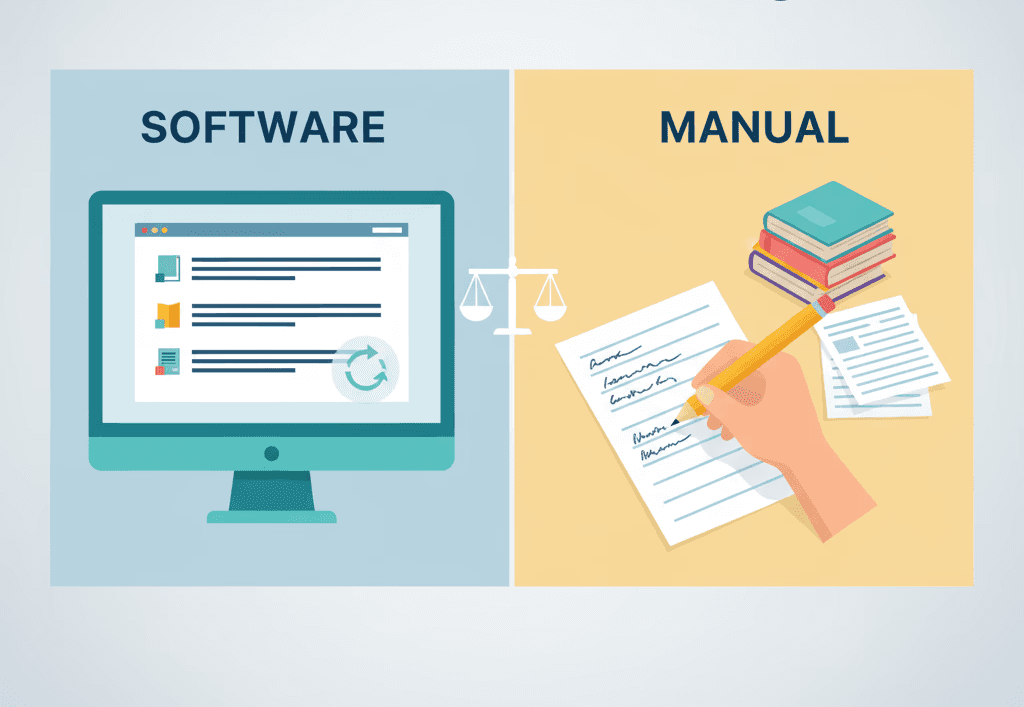
Jab aap ek school paper, essay, ya research project likhte hain, toh aapko dikhana hota hai ki aapke vichar (ideas) kahan se aaye hain. Yeh citations aur referencing ke jariye kiya jata hai. Isko sahi tareeqe se karne se aapke kaam par bharosa badhta hai aur plagiarism se bacha ja sakta hai.
Lekin ek bada sawal hai: Kya aapko apne citations ko manually manage karna chahiye ya citation software ka use karna chahiye? Dono methods aapko reference lists banane mein madad karte hain, lekin dono ka kaam karne ka tareeqa bilkul alag hai. Yeh article samjhata hai ki har ek method ka kya matlab hai, unki taqatein (strengths), unke nuksan (downsides), aur aap kaise decide karein ki aapke liye kaun sa sabse best hai.
<CTA title="Build Accurate Citations Fast" description="Use a smart tool to organize your references and build perfect bibliographies with ease." buttonLabel="Try Jenni Free" link="https://app.jenni.ai/register" />
Manual Referencing Kya Hai?
Manual referencing ka matlab hai har ek citation ko khud se hath se likhna aur format karna. Aap APA, MLA, ya Chicago jaise style guide mein sahi format dekhte hain aur fir use bilkul waise hi type karte hain jaise zaroorat hoti hai.
Aap har ek detail ko khud handle karte hain:
Author ka naam.
Publication ka saal.
Book, article, ya website ka title.
Punctuation, italics, aur unka order.
Yeh method aapko poora control deta hai. Yeh bina calculator ke math karne jaisa hai, aap har ek step ko acche se samajhte hain.
Citation Software Kya Hai?
Citation software (reference management software) ek aisa tool hai jo is process ke kuch hisson ko automate kar deta hai. Iske kuch examples hain:
Zotero – free aur open-source.
Mendeley – PDF store karne aur share karne ke liye accha hai.
EndNote – iska use aksar universities aur researchers karte hain.
Yeh tools online databases se data import kar sakte hain, aapke saare references ko ek jagah store kar sakte hain, aur aapke paper mein sahi format kiye gaye citations ko automatically insert kar sakte hain — inke baare mein aur detail mein janne ke liye, humari citation manager features guide dekhein.
Manual referencing = full control, zyada mehnat.
Citation software = zyada speed, kam manual effort.
Yeh Unka Choice Kyun Matter Karta Hai

Citations sirf ek formality se kahin zyada hain, yeh dikhate hain ki aapka kaam credible (bharosemand) aur honest hai. Choosing between manual referencing aur software is baat par asar dalta hai ki aap kitni tezi se kaam karte hain, aapka paper kitna accurate hai, aur baad mein ise update karna kitna aasan hota hai.
Agar aap sirf kuch hi sources ka use kar rahe hain, toh manual referencing theek ho sakti hai. Lekin agar aap darjano articles ya books ke sath kaam kar rahe hain, toh citation software ghanton ka samay bacha sakta hai aur galatiyon ko kam kar sakta hai.
<ProTip title="💡 Pro Tip:" description="The more sources you use, the more sense it makes to use citation software." />
Manual Referencing aur Citation Software ka Comparison
Aaiye un main areas ko samajhte hain jahan dono methods alag hain.
1. Speed aur Efficiency
Manual Referencing: Aapko har ek citation khud type karna hoga, har comma check karna hoga, aur har detail ko dhyan se dekhna hoga. Yeh chhote projects ke liye to theek hai, lekin lambe essays ya group projects ke liye bahut slow hai.
Citation Software: Zotero ya Mendeley jaise tools seconds mein citations bana sakte hain. Aap Google Scholar ya PubMed jaise websites ya databases se seedhe references import kar sakte hain.
Sojiye aap 40 sources ke sath ek science fair ki report likh rahe hain. Hath se likhne mein ghanton lag sakte hain. Software ke sath, unhe sahi tareeqe se format karne mein sirf kuch minutes lagenge.
Citation software bahut tezi se kaam karta hai, khas karke bade projects ke liye.
2. Accuracy aur Galatiyan (Errors)
Manual Referencing: Aur aap har ek detail ke liye khud responsible hain. Ek chhut gaya full stop (period) ya galat capital letter aapke reference ko galat bana sakta hai. Yeh method aapko citation ke rules acche se sikhne mein madad karta hai lekin choti galatiyon ke chances badha deta hai.
Citation Software: Yeh aapke chune hue style (APA, MLA, etc) ke hisab se citations ko automatically format karta hai. Lekin fir bhi aapko data errors check karne ki zaroorat hoti hai, kyunki websites se import ki gayi information kabhi-kabhi galat ho sakti hai.
<ProTip title="🔍 Reminder:" description="Always double-check citations made by software. They’re fast but not always perfect." />
3. Learning Curve (Sikhne ki Zaroorat)
Manual Referencing: Kisi bhi cheez ko install karne ki zaroorat nahi hai. Aapko sirf style guide ya online examples ki zaroorat hoti hai. Halanki, formatting ke saare rules yaad rakhne mein samay lagta hai.
Citation Software: Aapko tool ka use karna, files import karna, aur ise apne word processor se connect karna sikhna hoga. Lekin jab aapko iski aadat ho jayegi, toh yeh bahut efficient ho jata hai.
Verdict: Manual referencing shuru karna aasan hai, software long run mein zyada aasan hota hai.
4. Flexibility aur Control
Manual Referencing: Kuch special ya unusual sources ke liye bahut accha hai jo normal templates mein fit nahi hote, jaise personal interviews ya rare documents.
Citation Software: Standard sources ke liye bahut flexible hai lekin kam common formats ke sath thodi dikkat aa sakti hai. Kuch software aapko fields manually edit karne ki permission dete hain, lekin baki nahi dete.
Verdict: Special cases ke liye manual referencing jeet-ta hai. Software standard academic sources ke liye best hai.
5. Collaboration aur Sharing
Manual Referencing: Solo writing ke liye theek kaam karta hai. Lekin group project mein references share karna mushkil ho sakta hai, kyunki ho sakta hai har koi alag tareeqe se format kare.
Citation Software: Teamwork ko aasan banata hai. Aap ek shared library bana sakte hain, jisse har kisi ko ek hi sources dikhein aur updates automatically ho jayein. Zotero aur Mendeley jaise tools group folders aur synchronized annotations ki suvidha dete hain.
Group ya team projects ke liye software ka use karein.
6. Cost aur Access
Manual Referencing: Free hai. Aapko sirf style guide ya free online example pages tak access chahiye jaise ki Purdue OWL ka APA guide.
Citation Software: Kuch free hote hain (jaise Zotero). Baki, jaise EndNote, ke liye paise lag sakte hain. Kai schools apne students ke liye ise free mein offer karte hain.
Manual referencing sasta hai. Lekin free tools software ko yadatar students ke liye accessible bana dete hain.
7. Reuse aur Storage
Manual Referencing: Har baar naya project shuru karne par aapko citations fir se likhne padte hain.
Citation Software: Aapke references ko ek digital library mein save rakhta hai. Aap unhe future projects ke liye reuse, export, ya modify kar sakte hain.
Software long-term mehnat ko bachata hai.
Example Scenarios
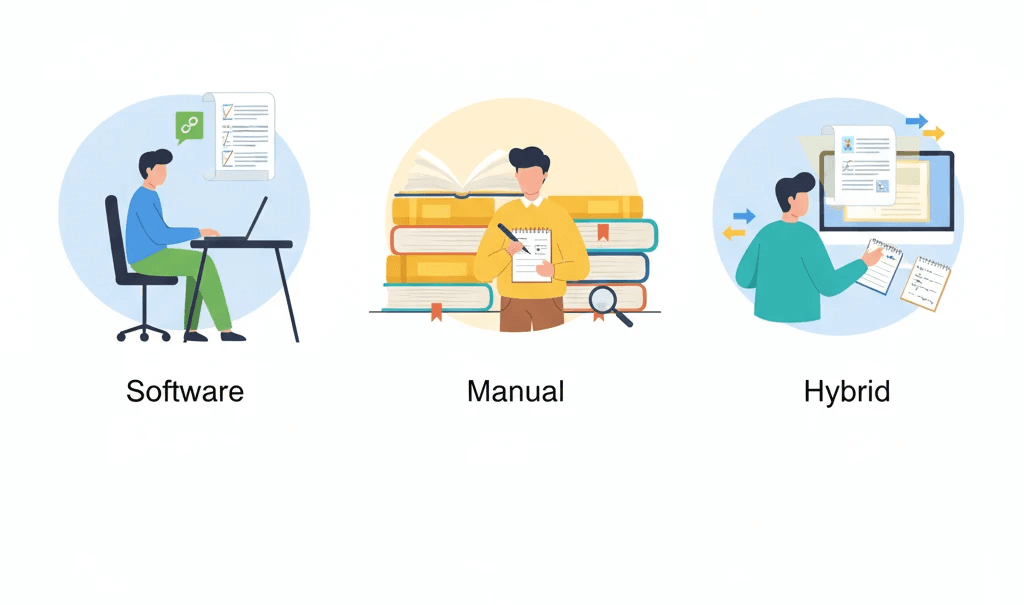
Scenario 1: Short High School Essay
Aap renewable energy par paanch sources ke sath 3-page ka ek essay likh rahe hain.
Aapke paas apne citations ko hath se type karne ka kaafi time hai.
Aap online APA examples check karte hain aur hath se apni reference list banate hain.
Yahan manual referencing karna sahi hai kyunki yeh simple aur fast hai, aur aapko basics sikhne mein madad milti hai.
Scenario 2: College Research Paper
Aap journals aur websites se 40 sources ke sath ek 15-page ke paper par kaam kar rahe hain.
Har ek reference ko manually type karne mein bahut saara time lag jayega.
Citation software sab kuch organize kar sakta hai aur jab aap likh rahe hote hain tabhi citations insert kar sakta hai.
Agar aapke teacher MLA se APA style mein change karne ke liye bolte hain, toh aap aasani se styles ko badal bhi sakte hain.
<ProTip title="💡 Pro Tip:" description="If your assignment uses more than 15–20 sources, citation software can save hours." />
Scenario 3: Group Science Project
Aapki team 3 members ke sath ek joint paper likh rahi hai.
Har student ek hi shared Zotero library mein references add karta hai.
Final document ka style aur order consistent rehta hai.
Agar ek student kisi source ko edit karta hai, toh woh badlav sabhi ko dikhai dete hain.
Pros aur Cons: Ek Nazar Mein
Feature | Citation Software | Manual Referencing |
Speed | Ek baar setup hone ke baad bahut tez | Bade projects ke liye slow |
Accuracy | High, lekin check karne ki zaroorat hoti hai | Agar dhyan se kiya jaye toh high |
Learning Curve | Sikhne mein thoda samay lagta hai | Shuru karne ke liye simple |
Collaboration | Excellent (shared libraries) | Share karna mushkil hai |
Flexibility | Standard sources ke liye bahut badhiya | Rare sources ke liye bahut badhiya |
Cost | Free ya low cost | Bilkul free |
Storage | Reusable, searchable database | Har baar naye siray se banana padta hai |
Skill-building | Style rules ko kam sikhna padta hai | Citation formats ki gehri samajh milti hai |
Donon Methods Kab Use Karein
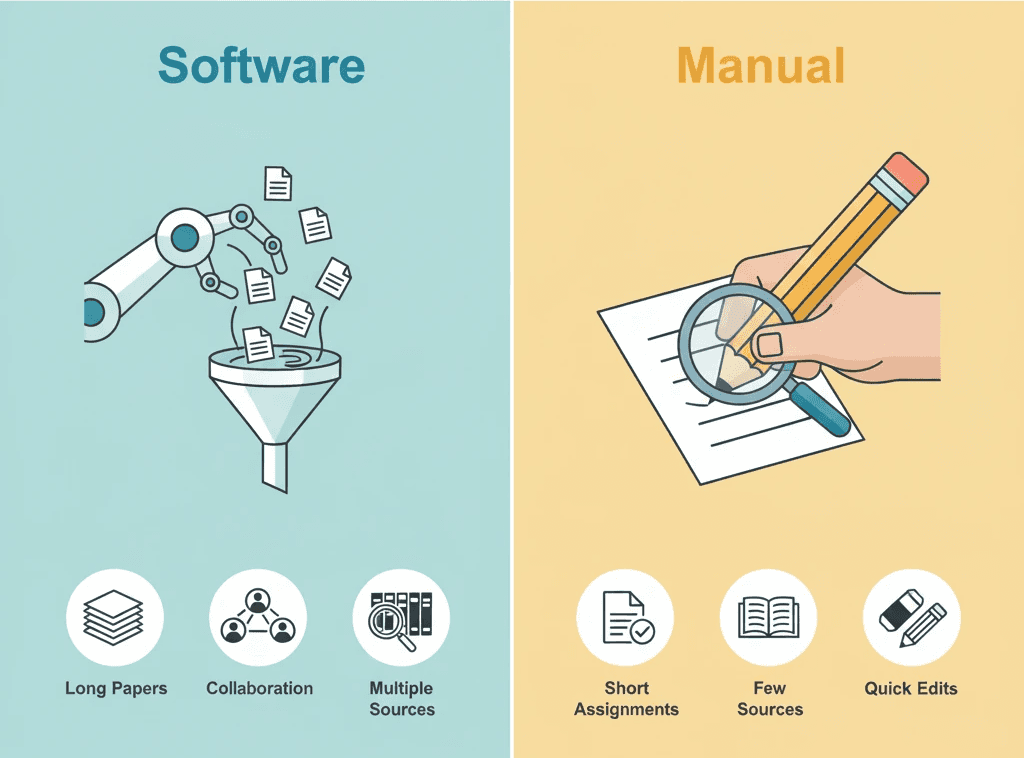
Manual Referencing Tab Chunein Jab:
Aapke paas 10 se kam sources hain.
Aap citation styles ko poori tarah se sikhna chahte hain.
Aap naye tools install ya sikhna nahi chahte.
Aapke paas dhyan se format karne ke liye kaafi samay hai.
Citation Software Tab Chunein Jab:
Aapke paas bahut saare sources hain (20 se zyada).
Aap ek team ke sath kaam karte hain.
Aapko future projects mein sources ko fir se use karna ho.
Aap alag-alag citation styles ke beech switch karte hain.
Aap formatting ke bajay writing par zyada time spend karna chahte hain.
Agar aap software ki taraf jhuk rahe hain, toh humara cloud vs desktop citation software comparison aapko apne workflow ke liye sabse best chunne mein madad kar sakta hai.
<ProTip title="💡 Tip:" description="For most college or senior high projects, a citation manager is worth learning early." />
Dono Methods Ko Mix Karna
Kabhi-kabhi aapko sirf ek hi chunne ki zaroorat nahi hoti. Ek mixed approach sabse sahi kaam kar sakta hai.
Yadatar sources ko jaldi se handle karne ke liye software ka use karein.
Khaas tarah ke materials (jaise interviews, purane documents, ya non-English texts) ke liye manual edits add karein.
Submit karne se pehle hamesha apni final bibliography ko manually review karein.
Is tareeqe se, aapko speed aur control dono ke fayde ek sath milte hain.
Step-by-Step: Citation Software Kaise Try Karein
Agar aapne pehle kabhi iska use nahi kiya hai, toh Zotero jaise ek free option ke sath aasani se shuru kar sakte hain.
zotero.org
se Zotero download karein.Word ya Google Docs plugin install karein.
References collect karein: Jab aapko online koi acchi article ya book mile, toh use save karne ke liye Zotero browser button par click karein.
Apni library organize karein: Topic ya project ke hisab se folders banayein.
Citations insert karein: Word ya Docs mein, Add Citation par click karein aur apna source chunein.
Bibliography banayein: Last mein, Add Bibliography par click karein. Zotero ise automatically format kar dega.
Sab kuch check karein: Check kar lein ki authors ke naam, saal, aur punctuation bilkul sahi hain.
<ProTip title="💡 Pro Tip:" description="Even with tools like Zotero, always review your references manually before submitting." />
Bachne Layak Common Mistakes
Manual Referencing Ke Sath:
Final list mein kisi reference ko add karna bhool jana.
Citation styles ko mix kar dena (jaise text ke andar MLA aur references mein APA ka use karna).
Commas bhool jana ya galat part ko italicize kar dena.
Entries ko alphabetically order mein na rakhna.
Citation Software Ke Sath:
Bina check kiye imported data par aankh band karke bharosa karna.
Apni reference library ka backup lena bhool jana.
Outdated style versions ka use karna.
Apne devices ke beech kaam ko sync na karna.
Decision Checklist
Apna choice jaldi se karne ke liye is checklist ka use karein.
Question | Software Use Karein | Manual Sahi Hai |
Kya mere paas 20 se zyada sources hain? | ✅ | |
Kya main ek team ke sath likh raha hoon? | ✅ | |
Kya main in citations ko fir se use karne ka plan kar raha hoon? | ✅ | |
Kya mere paas chhota essay ya kam sources hain? | ✅ | |
Kya mere paas time kam hai? | ✅ | |
Kya main formatting rules ko poori tarah sikhna chahta hoon? | ✅ | |
Kya mere paas installation ke liye internet access hai? | ✅ | |
Kya mere teacher ek simple list maang rahe hain? | ✅ |
Result:
Yadatar left column = software ke sath jayein.
Yadatar right column = manual referencing theek hai.
Dono Sikhna Kyun Zaroori Hai
Dono methods ki samajh hone se aapko flexibility milti hai.
Aap software ke outputs ko manually double-check kar sakte hain.
Agar exam ke time software crash ho jaye ya allow na ho, toh bhi aap kaam chala sakte hain.
Aap samajhte hain ki references kaise bante hain, jo aapko overall ek behtar writer banata hai.
<ProTip title="💡 Reminder:" description="Even if you use software, knowing manual citation basics helps you fix mistakes quickly." />
Students Ke Liye Iska Kya Matlab Hai
Yahan sabse zaroori baat yeh hai:
Manual referencing aapko basics sikhne mein madad karta hai. Yeh middle ya high school ke students ke liye ek acchi shuruat hai.
Citation software college aur usse aage zaroori ho jata hai, jahan projects bade hote hain aur darjano sources ki zaroorat hoti hai.
Dono methods aapko responsibility aur attention to detail sikhate hain, jo har subject mein kaam aane wali skills hain.
Choosing Between Citation Software and Manual Referencing the Smart Way
Your choice between citation software and manual referencing shapes how easy and accurate your research writing becomes. If you value control and skill-building, manual referencing helps you learn citation styles like APA, MLA, or Chicago step by step.
<CTA title="Simplify Citation Software vs Manual Referencing Today" description="Try Jenni AI to manage your citations, format your references automatically, and stay focused on what matters most your ideas." buttonLabel="Try Jenni Free" link="https://app.jenni.ai/register" />
By mastering both citation management software and manual referencing techniques, you’ll handle any research task with confidence. You’ll spend less time worrying about formats and more time building arguments that stand out.