Par
Justin Wong
—
Logiciel de référencement ou référencement manuel : lequel choisir pour vos recherches ?

Justin Wong
Responsable du développement
Diplômé d'un baccalauréat en affaires mondiales et arts numériques, avec une mineure en entrepreneuriat
Lorsque vous rédigez un devoir scolaire, un essai ou un projet de recherche, vous devez indiquer d’où viennent vos idées. Cela se fait grâce aux citations et aux références. Bien le faire renforce la crédibilité de votre travail et évite le plagiat.
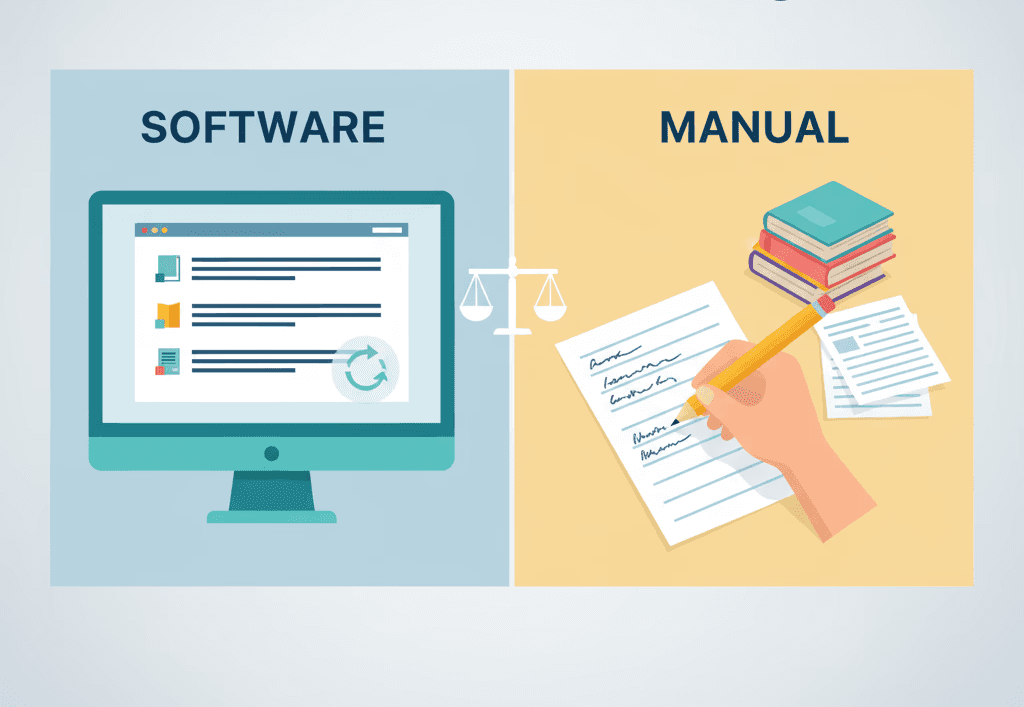
Mais une grande question se pose : faut-il gérer vos citations manuellement ou utiliser un logiciel de citation ? Les deux méthodes vous aident à créer des listes de références, mais elles fonctionnent très différemment. Cet article explique ce que chaque méthode signifie, ses points forts, ses limites et comment décider laquelle vous convient le mieux.
<CTA title="Créez rapidement des citations exactes" description="Utilisez un outil intelligent pour organiser vos références et créer facilement des bibliographies impeccables." buttonLabel="Essayer Jenni gratuitement" link="https://app.jenni.ai/register" />
Qu’est-ce que le référencement manuel ?
Le référencement manuel consiste à rédiger et à mettre en forme chaque citation à la main. Vous consultez le bon format dans un guide de style comme l’APA, le MLA ou le Chicago, puis vous le saisissez exactement comme demandé.
Vous gérez chaque détail :
Le nom de l’auteur.
L’année de publication.
Le titre du livre, de l’article ou du site web.
La ponctuation, les italiques et l’ordre.
Cette méthode vous donne un contrôle total. C’est comme faire des mathématiques sans calculatrice : vous comprenez chaque étape.
Qu’est-ce qu’un logiciel de citation ?
Un logiciel de citation (logiciel de gestion des références) est un outil qui automatise certaines parties de ce processus. Parmi les exemples :
Zotero – gratuit et open source.
Mendeley – pratique pour le stockage et le partage de PDF.
EndNote – souvent utilisé par les universités et les chercheurs.
Ces outils peuvent importer des données depuis des bases de données en ligne, stocker toutes vos références en un seul endroit et insérer automatiquement des citations correctement mises en forme dans votre travail — pour mieux comprendre ce qu’ils peuvent faire, consultez notre guide des fonctionnalités du gestionnaire de citations.
Le référencement manuel = contrôle total, plus de travail.
Le logiciel de citation = plus rapide, moins d’effort manuel.
Pourquoi ce choix est important

Les citations sont plus qu’une simple formalité : elles montrent que votre travail est crédible et honnête. Choisir entre le référencement manuel et un logiciel influe sur votre vitesse de travail, la précision de votre document et la facilité avec laquelle vous pourrez le mettre à jour plus tard.
Si vous ne gérez que quelques sources, le référencement manuel peut suffire. Mais si vous travaillez avec des dizaines d’articles ou de livres, un logiciel de citation peut vous faire gagner des heures et réduire les erreurs.
<ProTip title="💡 Conseil :" description="Plus vous utilisez de sources, plus il est logique d’utiliser un logiciel de citation." />
Comparaison entre le référencement manuel et le logiciel de citation
Décortiquons les principaux domaines où les deux méthodes diffèrent.
1. Vitesse et efficacité
Référencement manuel : Vous devez saisir chaque citation, vérifier chaque virgule et rechercher chaque détail. C’est acceptable pour les petits projets, mais lent pour les longs essais ou les projets de groupe.
Logiciel de citation : Des outils comme Zotero ou Mendeley peuvent créer des citations en quelques secondes. Vous pouvez importer des références directement depuis des sites web ou des bases de données comme Google Scholar ou PubMed.
Imaginez rédiger un rapport pour un salon scientifique avec 40 sources. Le faire à la main pourrait prendre des heures. Avec un logiciel, cela ne prendrait peut-être que quelques minutes pour tout mettre correctement en forme.
Un logiciel de citation est beaucoup plus rapide, surtout pour les gros projets.
2. Précision et erreurs
Référencement manuel : Vous êtes responsable de chaque détail. Un point oublié ou une majuscule mal placée peut rendre votre référence incorrecte. Cette méthode vous aide à bien apprendre les règles de citation, mais augmente le risque de petites erreurs.
Logiciel de citation : Il met automatiquement en forme les citations selon le style choisi (APA, MLA, etc.). Mais vous devez tout de même vérifier les erreurs de données : les informations importées depuis les sites web peuvent parfois être inexactes.
<ProTip title="🔍 Rappel :" description="Vérifiez toujours les citations générées par un logiciel. Elles sont rapides, mais pas toujours parfaites." />
3. Courbe d’apprentissage
Référencement manuel : Pas besoin d’installer quoi que ce soit. Il vous suffit du guide de style ou d’exemples en ligne. Cependant, il faut du temps pour mémoriser toutes les règles de mise en forme.
Logiciel de citation : Vous devez apprendre à utiliser l’outil, importer des fichiers et le connecter à votre traitement de texte. Une fois pris en main, il est toutefois très efficace.
Verdict : Le référencement manuel est plus simple pour commencer, le logiciel est plus facile à long terme.
4. Flexibilité et contrôle
Référencement manuel : Idéal pour les sources spéciales ou inhabituelles qui peuvent ne pas correspondre aux modèles classiques, comme les entretiens personnels ou les documents rares.
Logiciel de citation : Très flexible pour les sources standard, mais peut avoir du mal avec les formats moins courants. Certains logiciels vous permettent de modifier les champs manuellement, mais d’autres non.
Verdict : Le référencement manuel l’emporte pour les cas particuliers. Le logiciel l’emporte pour les sources académiques standard.
5. Collaboration et partage
Référencement manuel : Convient parfaitement à l’écriture en solo. Mais le partage des références dans un projet de groupe peut devenir chaotique : chacun peut les formater différemment.
Logiciel de citation : Facilite le travail d’équipe. Vous pouvez créer une bibliothèque partagée, afin que tout le monde voie les mêmes sources et bénéficie de mises à jour automatiques. Des outils comme Zotero et Mendeley permettent des dossiers de groupe et des annotations synchronisées.
Utilisez un logiciel pour les projets de groupe ou d’équipe.
6. Coût et accès
Référencement manuel : Gratuit. Tout ce dont vous avez besoin, c’est d’un guide de style ou de pages d’exemples gratuites en ligne comme le guide APA de Purdue OWL.
Logiciel de citation : Certains sont gratuits (comme Zotero). D’autres, comme EndNote, peuvent être payants. De nombreuses écoles les proposent gratuitement aux étudiants.
Le référencement manuel coûte moins cher. Mais les outils gratuits rendent les logiciels accessibles à la plupart des étudiants.
7. Réutilisation et stockage
Référencement manuel : Vous devez réécrire les citations chaque fois que vous commencez un nouveau projet.
Logiciel de citation : Conserve vos références dans une bibliothèque numérique. Vous pouvez les réutiliser, les exporter ou les modifier pour de futurs projets.
Le logiciel vous fait gagner du temps sur le long terme.
Scénarios d’exemple
Scénario 1 : court essai de lycée
Vous rédigez un essai de 3 pages sur les énergies renouvelables avec cinq sources.
Vous avez assez de temps pour saisir vos citations manuellement.
Vous consultez des exemples APA en ligne et construisez votre liste de références à la main.
Le référencement manuel a du sens ici, car c’est simple, rapide et cela vous aide à apprendre les bases.
Scénario 2 : travail de recherche universitaire
Vous travaillez sur un document de 15 pages avec 40 sources issues de revues et de sites web.
Saisir chaque référence manuellement prendrait une éternité.
Un logiciel de citation peut tout organiser et insérer les citations au fur et à mesure que vous rédigez.
Vous pouvez aussi changer de style facilement si votre enseignant passe du MLA à l’APA.
<ProTip title="💡 Conseil :" description="Si votre devoir utilise plus de 15 à 20 sources, un logiciel de citation peut vous faire gagner des heures." />
Scénario 3 : projet scientifique en groupe
Votre équipe rédige un document commun avec 3 membres.
Chaque étudiant ajoute des références dans la même bibliothèque Zotero partagée.
Le document final reste cohérent dans son style et dans son ordre.
Si un étudiant modifie une source, les changements apparaissent pour tout le monde.
Les avantages et les inconvénients en un coup d’œil
Fonctionnalité | Logiciel de citation | Référencement manuel |
Vitesse | Très rapide une fois configuré | Lent pour les grands projets |
Précision | Élevée, mais à vérifier | Élevée si c’est fait avec soin |
Courbe d’apprentissage | Nécessite un peu de temps pour être maîtrisé | Simple à commencer |
Collaboration | Excellente (bibliothèques partagées) | Difficile à partager |
Flexibilité | Idéal pour les sources standard | Idéal pour les sources rares |
Coût | Gratuit ou peu coûteux | Entièrement gratuit |
Stockage | Base de données réutilisable et consultable | À recréer à chaque fois |
Développement des compétences | Moins d’apprentissage des règles de style | Compréhension approfondie des formats de citation |
Quand utiliser chaque méthode
Choisissez le référencement manuel lorsque :
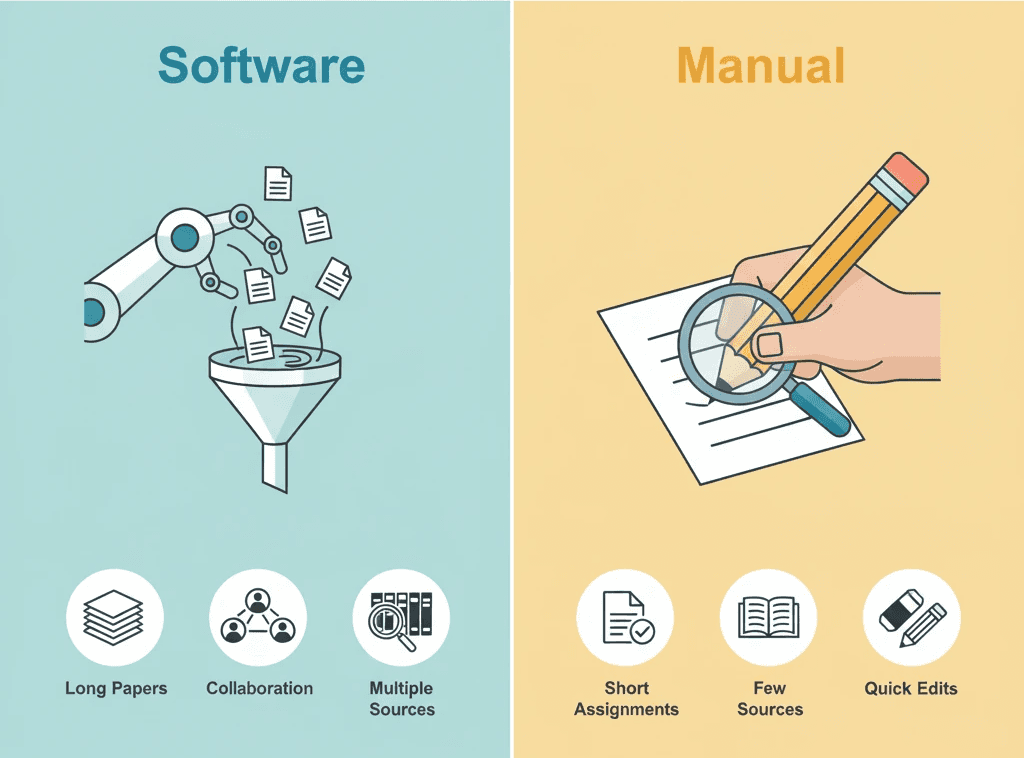
Vous avez moins de 10 sources.
Vous souhaitez apprendre les styles de citation en profondeur.
Vous ne voulez pas installer ou apprendre de nouveaux outils.
Vous avez suffisamment de temps pour soigner la mise en forme.
Choisissez un logiciel de citation lorsque :
Vous avez beaucoup de sources (plus de 20).
Vous travaillez en équipe.
Vous devez réutiliser ces sources dans de futurs projets.
Vous passez d’un style de citation à un autre.
Vous voulez passer plus de temps à écrire et moins de temps à mettre en forme.
Si vous penchez pour un logiciel, notre comparaison entre les logiciels de citation cloud et de bureau peut vous aider à choisir l’option la mieux adaptée à votre flux de travail.
<ProTip title="💡 Conseil :" description="Pour la plupart des projets universitaires ou du lycée, apprendre à utiliser un gestionnaire de citations tôt vaut vraiment le coup." />
Mélanger les deux méthodes
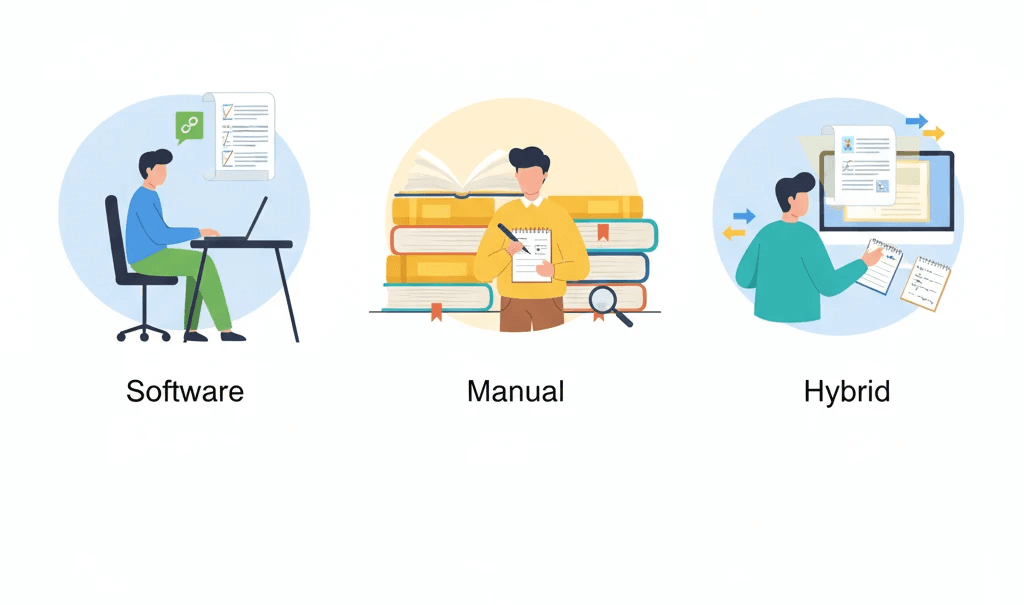
Parfois, vous n’avez pas à choisir une seule option. Une approche mixte peut être la meilleure.
Utilisez le logiciel pour gérer rapidement la plupart des sources.
Ajoutez des modifications manuelles pour les supports inhabituels (comme les entretiens, les anciens documents ou les textes non anglais).
Relisez toujours votre bibliographie finale manuellement avant de la soumettre.
Ainsi, vous profitez à la fois de la rapidité et du contrôle.
Étape par étape : essayer un logiciel de citation
Si vous n’en avez jamais utilisé, voici comment commencer avec une option gratuite comme Zotero.
Téléchargez Zotero depuis zotero.org
Installez le module pour Word ou Google Docs.
Collectez des références : Lorsque vous trouvez un bon article ou un bon livre en ligne, cliquez sur le bouton du navigateur Zotero pour l’enregistrer.
Organisez votre bibliothèque : Créez des dossiers par thème ou par projet.
Insérez des citations : Dans Word ou Docs, cliquez sur Ajouter une citation et choisissez votre source.
Créez une bibliographie : À la fin, cliquez sur Ajouter une bibliographie. Zotero la mettra en forme automatiquement.
Vérifiez tout : Assurez-vous que les noms des auteurs, les années et la ponctuation sont corrects.
<ProTip title="💡 Conseil :" description="Même avec des outils comme Zotero, relisez toujours vos références manuellement avant de les soumettre." />
Erreurs courantes à éviter
Avec le référencement manuel :
Oublier d’inclure une référence dans la liste finale.
Mélanger les styles de citation (par exemple, utiliser MLA dans le texte et APA dans les références).
Omettre des virgules ou mettre en italique la mauvaise partie.
Ne pas classer les entrées par ordre alphabétique.
Avec un logiciel de citation :
Faire confiance aux données importées sans les vérifier.
Oublier de sauvegarder votre bibliothèque de références.
Utiliser des versions obsolètes des styles.
Ne pas synchroniser votre travail entre les appareils.
La liste de décision
Utilisez cette liste pour faire votre choix rapidement.
Question | Utiliser un logiciel | Le manuel convient |
Ai-je plus de 20 sources ? | ✅ | |
Est-ce que je rédige en équipe ? | ✅ | |
Prévois-je de réutiliser ces citations ? | ✅ | |
Ai-je un court essai ou peu de sources ? | ✅ | |
Suis-je pressé par le temps ? | ✅ | |
Est-ce que je veux apprendre pleinement les règles de mise en forme ? | ✅ | |
Ai-je accès à Internet pour l’installation ? | ✅ | |
Mon enseignant demande-t-il une simple liste ? | ✅ |
Résultat :
La plupart des cases de la colonne de gauche = optez pour un logiciel.
La plupart des cases de la colonne de droite = le référencement manuel convient.
Pourquoi apprendre les deux en vaut la peine
Connaître les deux méthodes vous donne de la flexibilité.
Vous pouvez vérifier manuellement les résultats du logiciel.
Vous pouvez vous en sortir si le logiciel plante ou n’est pas autorisé dans un contexte d’examen.
Vous comprenez comment les références sont construites, ce qui fait de vous un meilleur rédacteur dans l’ensemble.
<ProTip title="💡 Rappel :" description="Même si vous utilisez un logiciel, connaître les bases du référencement manuel vous aide à corriger rapidement les erreurs." />
Ce que cela signifie pour les étudiants
Voici l’essentiel :
Le référencement manuel vous aide à apprendre les bases. C’est un bon point de départ pour les élèves du collège ou du lycée.
Les logiciels de citation deviennent essentiels à l’université et au-delà, où les projets sont plus longs et exigent de nombreuses sources.
Les deux méthodes vous apprennent la rigueur et le souci du détail, des compétences utiles dans toutes les matières.
Choisir intelligemment entre un logiciel de citation et le référencement manuel
Votre choix entre un logiciel de citation et le référencement manuel influence la facilité et la précision de votre rédaction de recherche. Si vous accordez de l’importance au contrôle et au développement de vos compétences, le référencement manuel vous aide à apprendre pas à pas les styles de citation comme l’APA, le MLA ou le Chicago.
<CTA title="Simplifiez dès aujourd’hui le choix entre logiciel de citation et référencement manuel" description="Essayez Jenni AI pour gérer vos citations, mettre vos références en forme automatiquement et rester concentré sur l’essentiel : vos idées." buttonLabel="Essayer Jenni gratuitement" link="https://app.jenni.ai/register" />
En maîtrisant à la fois les logiciels de gestion des citations et les techniques de référencement manuel, vous pourrez aborder n’importe quel travail de recherche avec confiance. Vous passerez moins de temps à vous soucier des formats et davantage de temps à construire des arguments qui se démarquent.