Smart LaTeX Equations

Marc
·
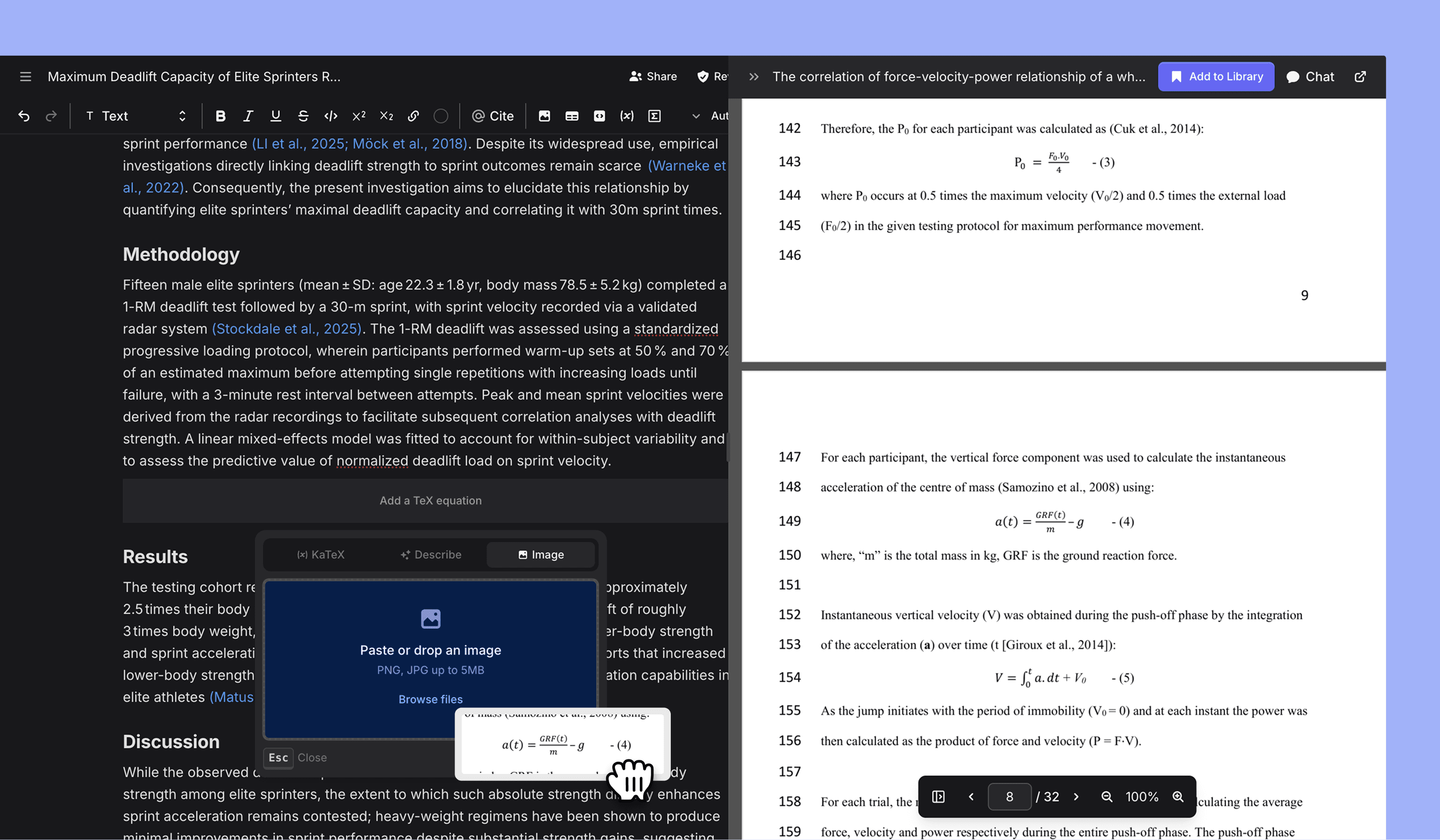
Writing LaTeX equations by hand is painful, now you can either describe your equation or if referencing from an existing PDF simply upload the image.
Added
Ability to create LaTeX equations from either natural language or by pasting/ uploading an image
Ability to choose between MS Word native citation style or hyperlinks during .docx export
Comments now support line breaks for longer message formatting
Quick AI Edit menu on text paste into editor
Ability to export library items in .csv format
Changed
+ Newno longer splits import from docx and a new Jenni document as a sub-menu, .docx import can be completed via the newly created document empty stateThe toolbar is now fixed to the top of the editor on desktop
When creating a new document there is a new UI which guides you through setup and citation preferences
Opening a PDF quote will now open in a peek drawer rather than a new browser tab. If full page PDF reading is preferred it can be accessed via the drawer top bar
Improved AI Chat performance with better library and web search behavior
Review now shows a dedicated success state when no issues are found along with last run timestamp
When importing a docx with citations the citation matcher will run in the Review sidebar
Fixed
Collection selection menu in web extension
Table selection menu layout
Long PDF names no longer clash with capture selection button in PDF top bar
PDF viewer in RTL language layout
Citation popover appearing behind AI Chat drawer on small desktop screens
/insert menu adding a non-selected block into editor