By
Nathan Auyeung
—
ChatGPT vs Otter AI Chat: Which AI Tool Works Better for Team Collaboration?

Nathan Auyeung
Senior Accountant at EY
Graduated with a Bachelor's in Accounting, completed a Postgraduate Diploma of Accounting
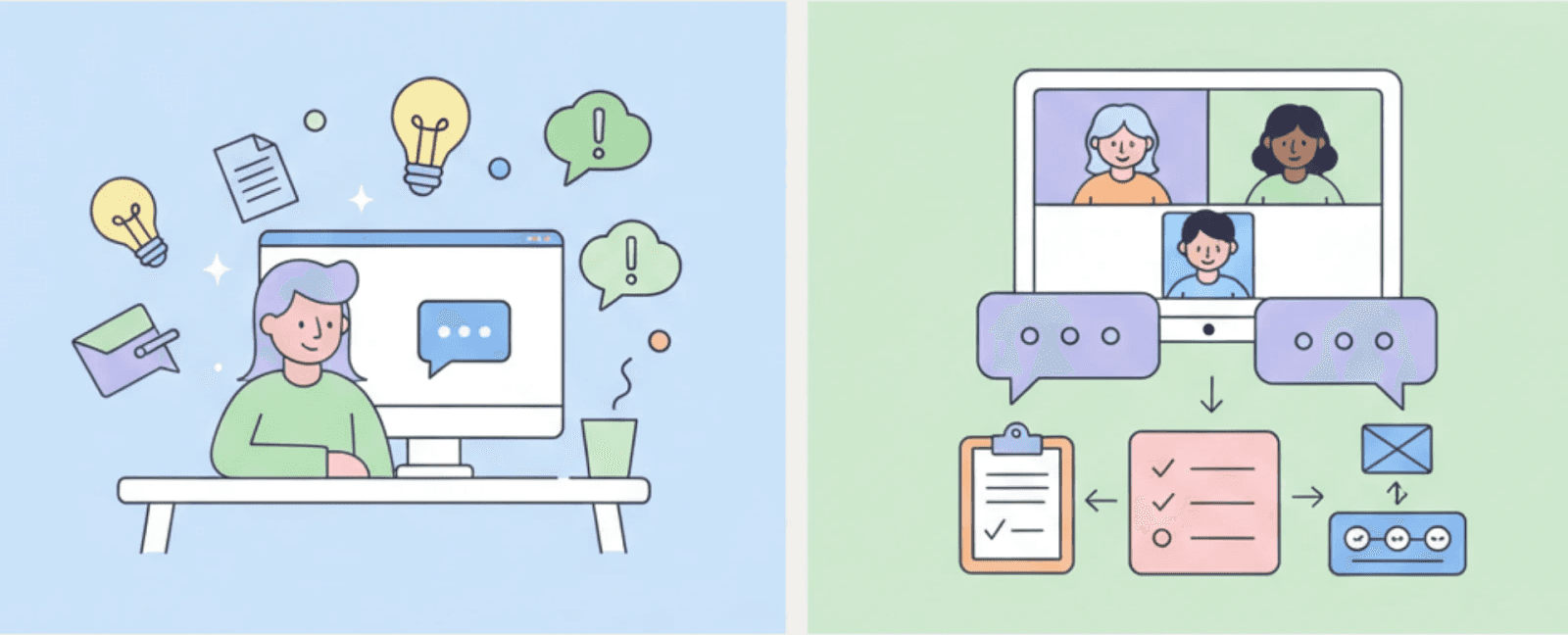
AI tools are now part of daily work for many teams. Meetings, notes, writing, and planning often rely on artificial intelligence to save time. As more tools appear, choosing the right one becomes harder. Not every AI is built for the same task. Some tools help people think and write. Knowing the difference matters because the wrong tool can slow work instead of helping.
This article compares ChatGPT and Otter AI Chat in a clear and practical way. It explains how each tool works, what it does best, and where it fits in real workflows. By the end, you will understand which tool supports your needs and why.
<CTA title="Plan and Write With More Control" description="Use Jenni to organize ideas, guide research, and improve writing without losing ownership" buttonLabel="Try Jenni Free" link="https://app.jenni.ai/register" />
Understanding Otter AI Chat
Otter AI Chat is built around meetings. Its main purpose is to capture spoken conversations and turn them into clear, useful records, a role often discussed when evaluating educational AI tools in structured settings. Instead of relying on memory or rushed notes, teams can review what was said later and stay aligned.
Otter began as a transcription tool. Over time, it grew into a full meeting assistant. Today, it does more than write down words. It helps teams understand what happened, what was decided, and what needs to happen next.
Core Features of Otter AI Chat
Otter AI Chat focuses on turning live conversations into structured information. It listens during meetings and processes speech in real time, without interrupting the discussion.
Its main features include:
Real-time transcription during meetings
Automatic summaries after meetings end
Action items created from spoken decisions
Context-based answers drawn from past meetings
These features reduce the need for manual note-taking and address concerns often raised around AI-based transcription accuracy, consistency, and follow-through. Over time, teams build a searchable record of discussions that supports continuity and accountability.
<ProTip title="💡 Pro Tip:" description="Use Otter in recurring meetings to build a decision history your team can reference later" />
Where Each Tool Falls Short
No AI tool does everything well. Understanding the limits of ChatGPT and Otter AI Chat helps avoid frustration and misuse.
ChatGPT struggles in team settings. It does not listen to meetings. It does not remember shared decisions unless users copy them in. When many people are involved, context can get lost. ChatGPT also depends heavily on prompts. If users are unclear, the output becomes vague. This makes it less reliable for group work that needs consistency.
Otter AI Chat has limits too. It is tightly focused on meetings. Outside of spoken conversations, it offers little support. It does not help much with drafting long documents, exploring new ideas, or learning complex topics. If a team does not meet often, Otter adds less value.
These limits are not flaws. They reflect design choices. ChatGPT is broad and flexible. Otter is narrow and deep. Problems arise only when teams expect one tool to replace the other.
How These Tools Shape Work Over Time
AI tools do more than save time. They slowly shape how teams work, think, and make decisions.
Teams that rely on Otter AI Chat tend to build stronger records. Decisions are easier to track. New members can review past meetings. Fewer details are lost. Over time, this reduces repeated debates and meeting fatigue. Work becomes more consistent.
ChatGPT shapes work in a different way. Its evolution from GPT-3.5 to GPT-4 has improved reasoning depth, making exploration and early thinking more structured over time. Users test ideas, rewrite drafts, and clarify thoughts. This can speed up learning and planning. Over time, individuals become more confident writers and thinkers.
Problems appear when tools are misused. Relying on ChatGPT to replace discussion can weaken shared understanding. Relying on Otter without reflection can lead to passive meetings. The best outcomes come when tools support thinking, not replace it.
Real-Time Collaboration Inside Meetings
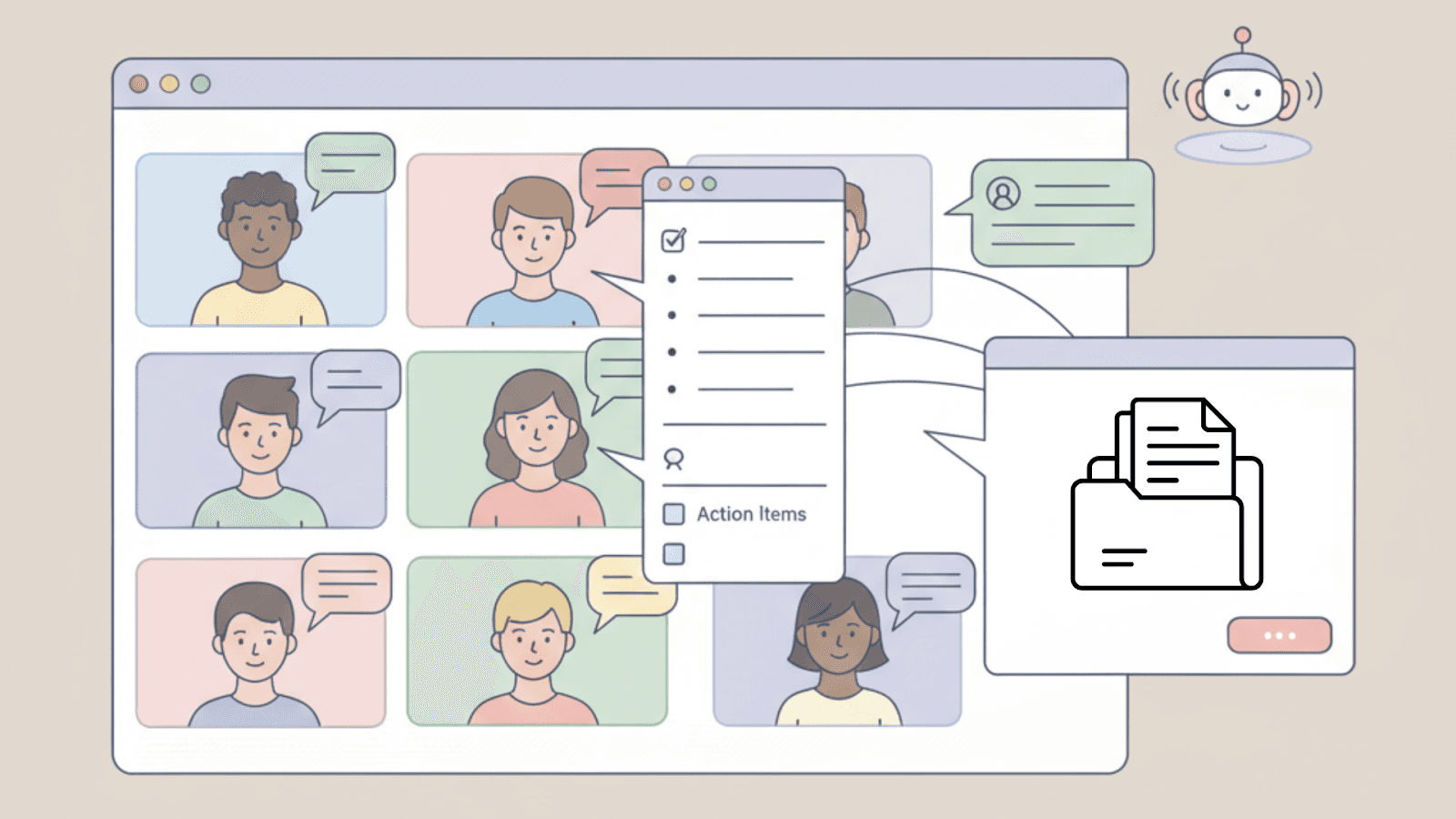
Otter AI Chat works while meetings are happening. It does not wait until the meeting ends to add value. Team members can interact with it during the discussion when clarity matters most.
For example, someone might ask what was agreed on in the last meeting. Otter can pull that answer from earlier transcripts in seconds. This helps prevent repeated debates and keeps discussions moving forward.
Otter also supports late joiners. If someone joins a meeting after it starts, they can quickly review what they missed. This keeps everyone on the same page and reduces friction during fast-moving conversations.
The Technology Behind ChatGPT
ChatGPT is a conversational AI built on OpenAI’s GPT architecture. For a quick primer on how it works, see what Chat GPT is. This ChatGPT model is designed to understand written input and respond in a natural, human-like way. Instead of focusing on meetings, it focuses on dialogue, ideas, and text-based tasks.
ChatGPT learns patterns from large amounts of text. This allows it to answer questions, explain concepts, and generate content across many topics. Its strength comes from generalization rather than specialization.
What ChatGPT Is Designed to Do
ChatGPT works best when users ask clear questions or give clear prompts. This becomes more noticeable when comparing ChatGPT with tools like OpenAI Playground, where prompt structure directly shapes output quality.
Common uses include:
Explaining complex topics in simple terms
Writing and editing text
Brainstorming ideas
Answering general knowledge questions
<ProTip title="📝 Pro Tip:" description="Use ChatGPT to prepare ideas or outlines before meetings begin" />
ChatGPT as a Personal Assistant
ChatGPT works best in one-on-one settings. It acts like a thinking partner rather than a meeting tool. Users guide the conversation, and the AI responds step by step.
It is flexible, but that flexibility requires direction. Strong prompts lead to focused answers. Weak prompts often lead to vague results. This makes ChatGPT powerful for individuals, but less structured for teams that rely on shared context.
Core Features & Capabilities
ChatGPT and Otter AI Chat use AI in very different ways. ChatGPT supports flexible thinking, writing, and learning. Otter AI Chat supports shared understanding during meetings.
The table below compares their core features side by side and shows how each tool fits different workflows.
Feature Comparison Overview
Feature | ChatGPT | Otter AI Chat |
Knowledge Base | Broad knowledge across many topics and domains | Meeting-specific insights based on recorded discussions |
Real-Time Collaboration | Primarily one-on-one interaction | Built for collaboration among meeting participants |
Content Generation | Text generation based on prompts | Meeting summaries, action items, and follow-ups |
Integration with Other Platforms | Limited native integrations, mostly through API | Strong integrations, especially with video conferencing tools |
Data Security | Encrypted data with limited conversation storage | Meeting data protected and not shared with third parties |
User Feedback & Reception | Known for versatility and wide use cases | Valued for improving meeting clarity and productivity |
Learning Curve | Moderate, improves with prompt practice | Easy to use and intuitive for teams |
Languages Supported | Supports multiple languages | Primarily English, with expanding support |
Pricing | Subscription-based with a free tier | Subscription-based with free and premium plans |
<ProTip title="📊 Pro Tip:" description="Use this table to match the tool to how your team actually works" />
What These Differences Mean in Practice
ChatGPT offers breadth. It can talk about almost any topic and adapt to many tasks. This makes it useful for research, writing, learning, and early planning. If you are also evaluating research-first assistants for everyday work, see our ChatGPT vs Perplexity AI comparison. It supports open thinking and exploration, especially for individual users.
Otter AI Chat offers depth within a narrow space. It focuses on meetings. It remembers context, decisions, and action items over time. This makes it useful for teams that meet often and need consistent follow-through.
Neither tool is better overall. Each one works best when used for the role it was designed for.
Integration and Workflow Fit
What a tool can do matters less if it does not fit daily work. Even powerful tools fail when they interrupt habits or add extra steps. Tools that blend into existing workflows are used more often and with less friction.
How ChatGPT Fits Into Workflows
ChatGPT mostly lives in its own interface. Users ask questions, give prompts, and receive answers. Some teams connect it through APIs, but most people use it directly.
This setup works well for individual tasks. It is less natural for shared workflows unless teams build systems around it. ChatGPT supports thinking and drafting, but it does not manage group processes on its own.
How Otter AI Chat Fits Into Workflows
Otter AI Chat integrates directly with meeting platforms like Zoom. This makes adoption easier. Teams do not need to change how they meet or take notes.
Otter joins meetings automatically. It listens in the background and records what is said. When the meeting ends, notes, summaries, and action items are ready to review. This hands-off setup reduces effort and improves consistency.
<ProTip title="🔗 Pro Tip:" description="Tools that fit existing habits are adopted faster than tools that require new ones" />
Using ChatGPT and Otter AI Chat Together
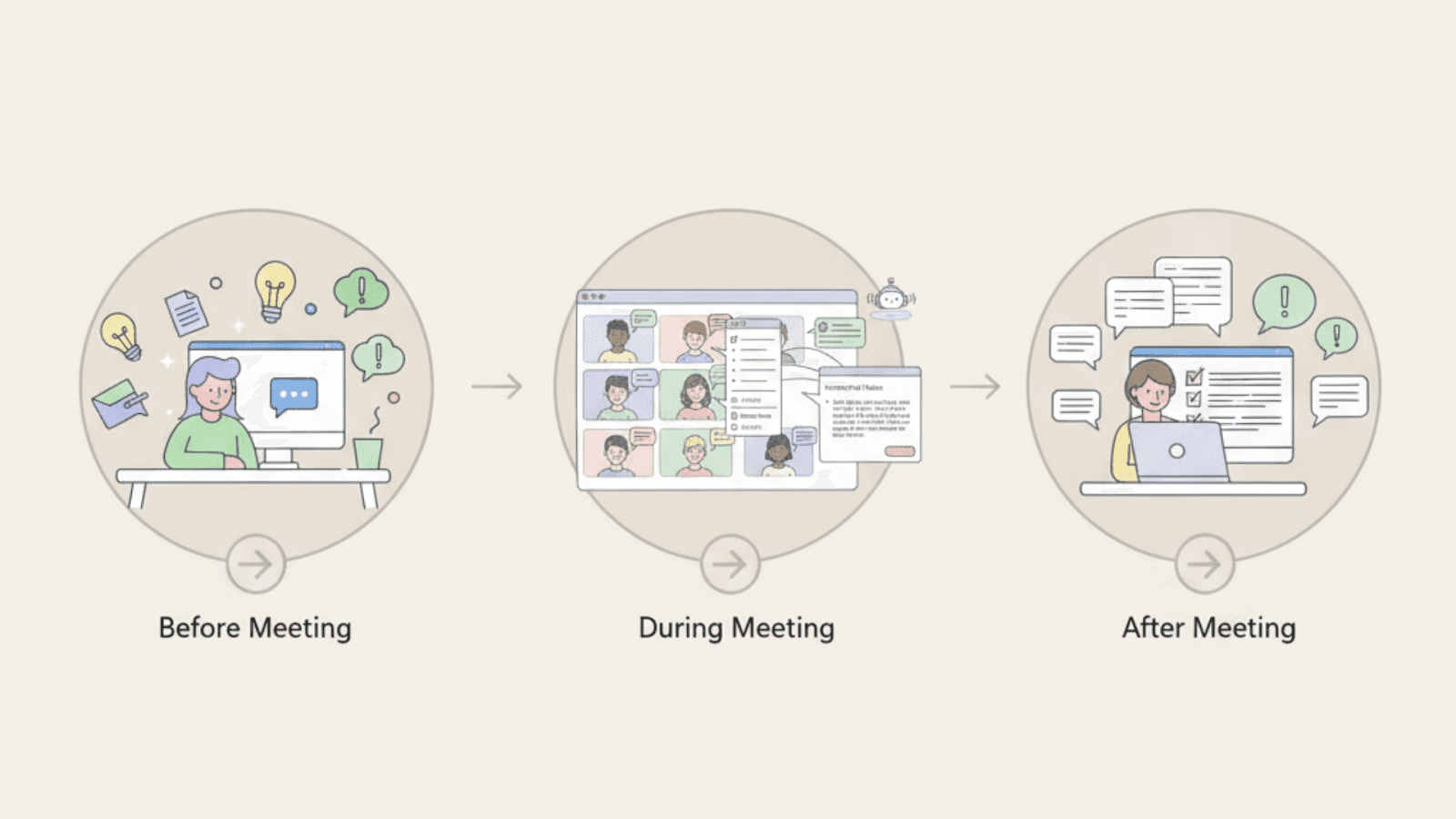
Many teams get the best results by using both tools at different stages of work. Before meetings, ChatGPT helps with preparation. Users can outline agendas, clarify goals, or draft questions. This leads to more focused discussions.
During meetings, Otter AI Chat captures what happens. It records decisions, tracks action items, and answers context questions. Teams stay aligned without stopping the discussion.
After meetings, ChatGPT helps process outcomes. Teams can turn notes into summaries, reports, or follow-up messages. Writing feels easier because the thinking work is already done. This setup creates a clear flow. ChatGPT supports thinking. Otter supports memory. Together, they reduce mental load without removing human judgment.
<ProTip title="🔁 Pro Tip:" description="Use ChatGPT before and after meetings and Otter during meetings for the cleanest workflow" />
Use Cases: When to Use Which Tool
The right tool depends on the situation. Clear use cases make the choice easier and prevent frustration.
Team Meetings and Collaboration
Scenario: Your team meets every week and needs clear records.
Best tool: Otter AI Chat
Otter captures discussions, decisions, and tasks automatically. Teams stay aligned without extra note-taking or follow-up work.
Individual Research and Writing
Scenario: You need help drafting content or learning a topic.
Best tool: ChatGPT
ChatGPT responds quickly and adapts to your questions. It helps explore ideas, improve clarity, and move work forward.
Fast Decisions During Meetings
Scenario: You need quick context from past discussions.
Best tool: Otter AI Chat
Otter recalls earlier meetings and answers questions in real time. This helps teams avoid repeated debates and missed details.
Learning and Exploration
Scenario: You want to understand a new idea or concept.
Best tool: ChatGPT
ChatGPT explains ideas step by step using simple language. This makes learning faster and less overwhelming.
<ProTip title="⚖️ Pro Tip:" description="Many teams use both tools for different stages of work" />
Data Security and Privacy Considerations
AI tools often handle sensitive information. Understanding how data is stored and protected is important, especially in professional settings.
ChatGPT encrypts conversations and limits long-term storage. It is designed for general use, not formal record keeping.
Otter AI Chat stores meeting data securely and avoids sharing content with third parties, which matters for teams using AI transcription software in interviews, research, or sensitive discussions.
This makes it more suitable for teams that need documented discussions or compliance support. Always review privacy settings before using AI tools for confidential work.
Learning Curve and Ease of Use
Ease of use affects adoption. A tool that feels complex often gets ignored, even if it is powerful.
ChatGPT has a moderate learning curve. Users improve results by learning how to write better prompts and refine questions over time.
Otter AI Chat is easier to adopt. It works automatically during meetings and requires little training. This makes it a strong option for teams with mixed technical skills.
Quick Checklist: Which Tool Should You Choose?
Use this checklist to decide quickly.
Choose Otter AI Chat if:
Your team meets often
Decisions need clear records
Follow-ups are frequently missed
Choose ChatGPT if:
You work independently
Writing and learning matter most
Tasks change often
Choose both if:
Your work includes meetings and writing
You want less rework
You value clarity over speed
Choosing the Right Tool for Your Workflow
ChatGPT and Otter AI Chat support different kinds of work. Otter AI Chat is best for teams that rely on meetings, shared discussions, and clear follow-ups. ChatGPT works better for individual tasks like thinking through ideas, learning new topics, and improving writing. Understanding these differences helps teams and individuals choose tools that support how they actually work.
<CTA title="Turn AI Support Into Clear Writing" description="Jenni helps you plan ideas, structure arguments, and write with clarity without losing control" buttonLabel="Try Jenni Free" link="https://app.jenni.ai/register" />
When the right tool matches the task, work feels easier and more focused. Jenni fits naturally into this process by helping users organize thoughts, guide writing, and stay in control of their ideas. Instead of replacing thinking, it supports it, making AI a practical partner rather than a distraction.