ジェンニのあなたの言語で

Marc
·
2025/12/17
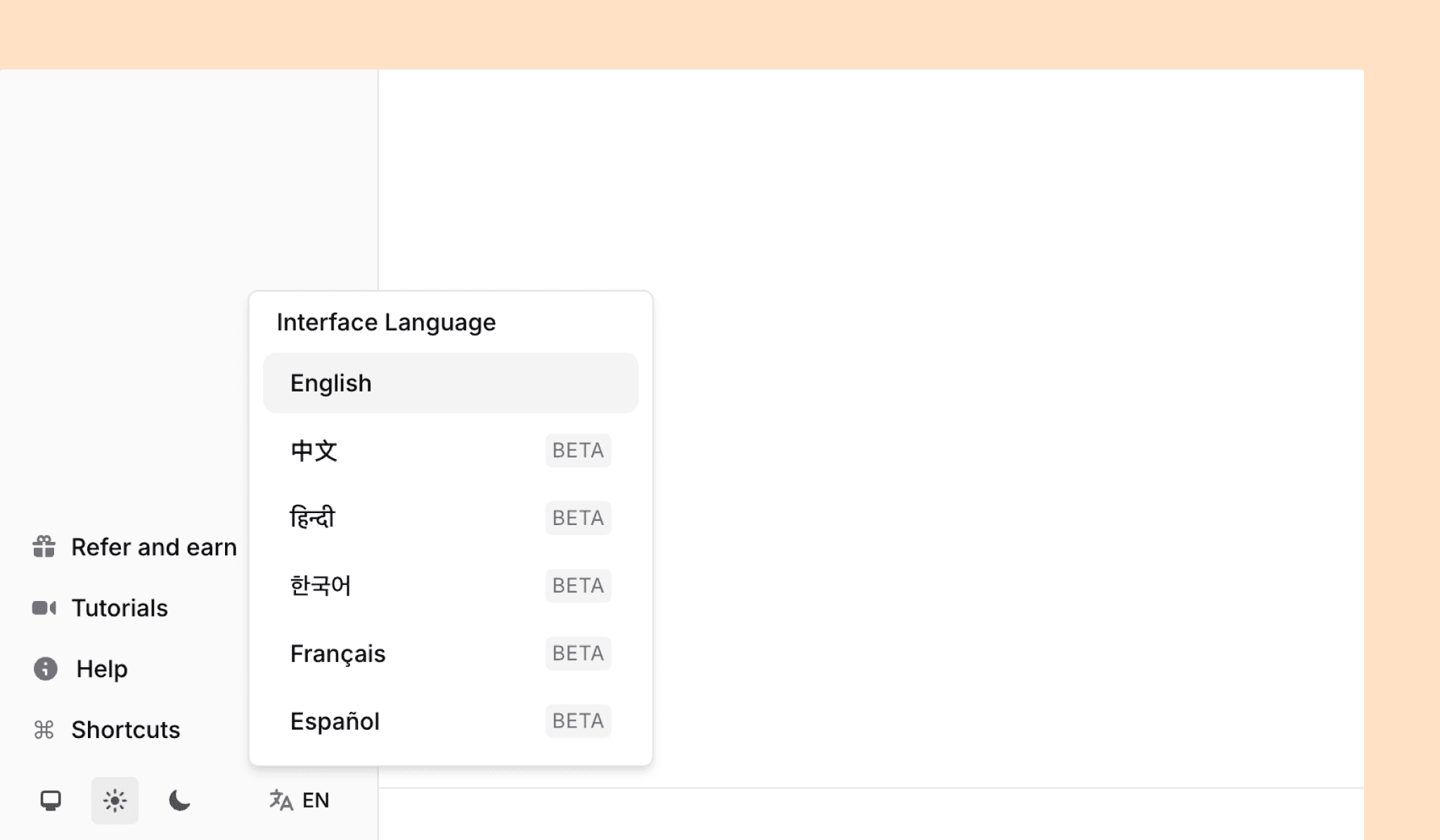
私たちは、中国語(繁体字)、ヒンディー語、韓国語、フランス語、スペイン語(現在ベータ版)のインターフェースサポートを開始し、あなたが最も快適に感じる言語でJenniを使用することを容易にしました。
追加された
AIチャットはDOI URLを受け入れ、プロンプトに応じてソースデータを返します
多言語アプリUIサポート、これはベータ版であり、現在サポートされています:
ヒンディー語
韓国語
簡体字中国語
スペイン語
フランス語
.docxからのインポートは現在
+新規メニューからアクセス可能です章の作業タイプ用に書籍タイトルの新しいフィールドが追加されました
変更された
アプリはデフォルトでライトにするのではなく、システムテーマ(自動)を継承します
.docxからインポートする際、プレーンテキストの引用を青いジェニー引用トークンに変換し、構造化された参考文献セクションを作成する試みを行います
無料プランの使用論理が簡素化され、より寛大になりました。以前はオートコンプリートとAIエディットが200単語の制限に束ねられていました。新しい制限は次のとおりです:
10のオートコンプリート
10のAIチャット
5のAIエディット
AIチャットは、ブラウザのタブを切り替えたときにバックグラウンドでストリーミングを続けるようになります
AIエディットのドロップダウンメニューは現在、キーボードでナビゲート可能で、矢印キーを使用してデフォルトのコマンドの間を移動し、
Returnを押して実行しますタイトルのタイポグラフィスタイルがヘッダー1に合わせて削減されました
Webインポータ拡張機能をインストールするボタンは、現在のアクティブなブラウザタイプに表示され、リンクされます
モバイルでの使いやすさを改善するために
+新規メニューがドロワーに更新されましたページロケータは自動的に入力されず、本文中の引用に表示されます
作業タイプの選択は現在、検索機能があるコンボボックスになり、正しいタイプを見つけるのが速くなりました
修正された
空のAIチャットおよびエディットメッセージを送信することはできなくなりました
本文中の引用トークンは、現在バックスペースキーで削除できます
ユーザーアカウントを永久に削除する機能
PDF内検索は現在、正しく上から下への循環を行います
引用ポップオーバーカード内のボタンの配置が現在、一貫している
作業タイプのドロップダウンは現在、モバイルデバイスでタッチ可能です
作業メタデータのドロワーの横方向のオーバーフローが修正されました