Durch
Nathan Auyeung
—
Cloud- vs. Desktop-Zitationssoftware: Welche passt am besten zu Ihrem Forschungsworkflow?

Nathan Auyeung
Senior Accountant bei EY
Abschluss mit einem Bachelor in Rechnungswesen, abgeschlossenes Postgraduate-Diplom in Rechnungswesen

Zitationen zu verwalten fühlt sich einfach an, bis man mitten in einem Projekt steckt – mit Stapeln von PDFs, ununterbrochenen Überarbeitungen und Teamkollegen, die ihre Dateien alle unterschiedlich organisieren. Die Software, die du verwendest, prägt letztlich, wie du liest, schreibst und deine Forschung unter Kontrolle hältst. Wenn du noch dein erstes Tool auswählst, kann unsere Erklärung, was ein Zitationsmanager ist und warum er wichtig ist helfen.
Cloud-Tools ermöglichen dir flexibles Arbeiten über verschiedene Geräte hinweg, während Desktop-Apps auf Leistung und Stabilität setzen. Auf den ersten Blick sehen sie ähnlich aus, unterstützen aber sehr unterschiedliche Arbeitsabläufe. Diese Gegenüberstellung hilft dir herauszufinden, welches Setup zu deinem Forschungsstil passt, damit du nicht jedes Mal mit deinen Tools kämpfst, wenn du dich zum Schreiben hinsetzt.
<CTA title="Zeit bei der Verwaltung deiner Quellen sparen" description="Erstelle mühelos saubere Zitate, strukturierte Notizen und ausgefeilte Absätze mit Jenni" buttonLabel="Jenni kostenlos testen" link="https://app.jenni.ai/register" />
Warum diese Entscheidung wichtiger ist, als viele denken
Die meisten akademischen Aufgaben hängen davon ab, wie schnell du durch Quellen arbeiten kannst. Wenn deine Tools dich jedes Mal ausbremsen, wenn du ein neues Paper hinzufügst, nach einem Zitat suchst, deinen Laptop synchronisierst oder Referenzen für ein Gruppenprojekt ergänzst, zieht sich dein gesamter Schreibprozess mit. Gute Zitationssoftware macht Forschung reibungsloser. Die falsche erzeugt Reibung, die du jeden Tag spürst. Wenn du außerdem noch entscheidest, ob du überhaupt ein Tool verwenden oder Referenzen von Hand erstellen willst, erläutert unser Vergleich von Zitationssoftware und manueller Referenzierung die Vor- und Nachteile.
Mit Fernstudium, hybriden Forschungsteams und der zunehmenden Abhängigkeit von digitalen Materialien ist der Unterschied zwischen Cloud und Desktop wichtiger denn je. Studierende, die zwischen Geräten wechseln, brauchen andere Funktionen als Forschende, die offline viele Stunden lang PDFs kommentieren. Und kollaboratives Schreiben bringt noch eine weitere Ebene mit sich.
Eine gute Wahl zu treffen bedeutet nicht, auf Popularität zu achten. Es geht darum, deinen Workflow mit der richtigen Infrastruktur abzugleichen.
Was cloudbasierte Zitationssoftware wirklich bietet
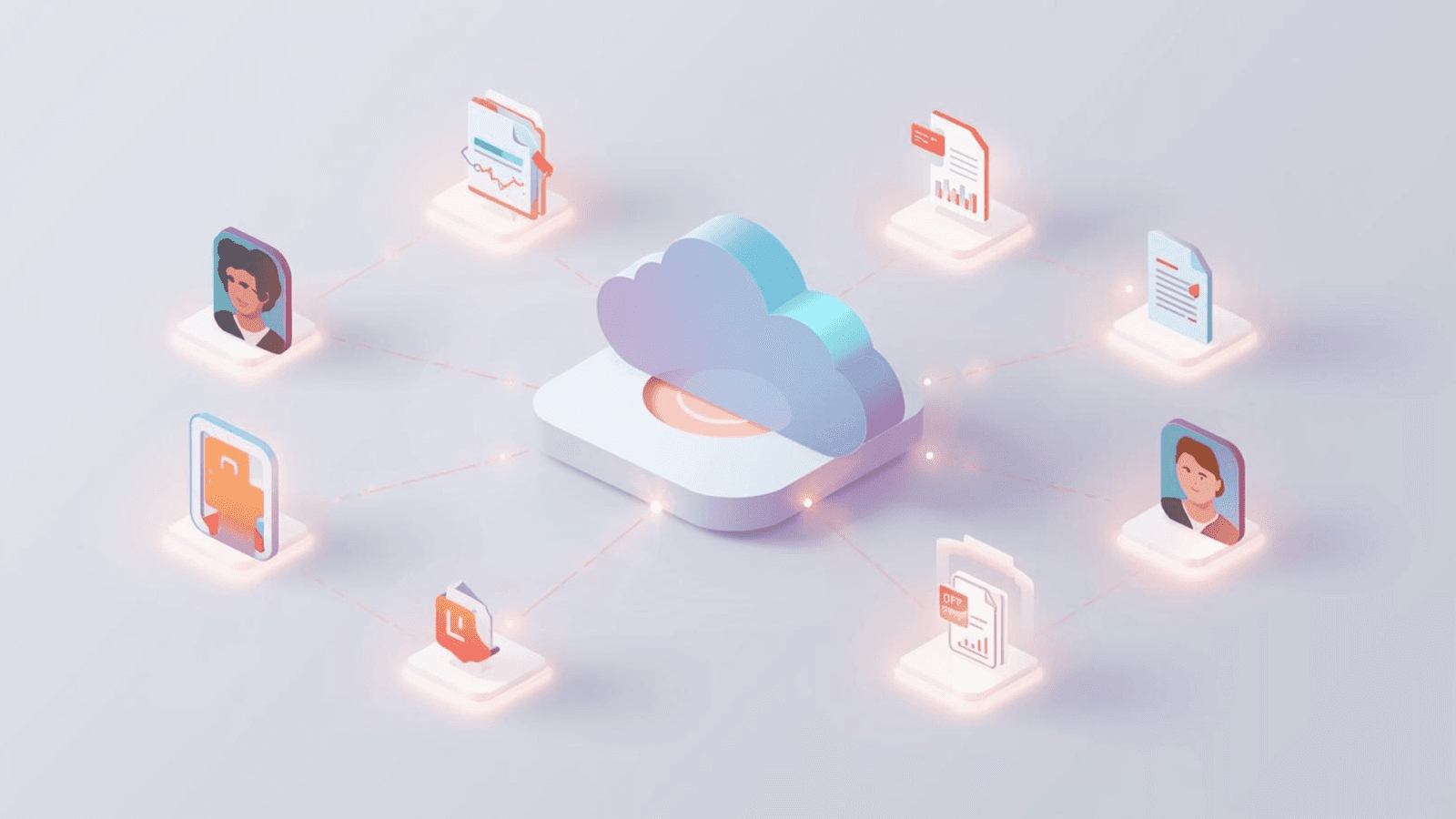
Cloud-Zitationswerkzeuge sind auf Mobilität ausgelegt. Die Bibliothek liegt online statt auf deiner Festplatte. Das klingt einfach, verändert aber die Funktionsweise des gesamten Systems. Statt dein Gerät als „Heimat“ deiner Daten zu behandeln, wird die Cloud zu deiner dauerhaften Basis.
Das ist die Grundlage für Funktionen wie sofortige Synchronisierung, Zusammenarbeit in Echtzeit und Geräteflexibilität, was zu weithin anerkannten Vorteilen cloudbasierter Systeme passt.
Wichtige Vorteile
Überall und jederzeit arbeiten - Cloud-Tools glänzen, wenn du zwischen Geräten wechselst. Melde dich auf deinem Laptop, Tablet oder einem Uni-Computer an und arbeite genau dort weiter, wo du aufgehört hast. Das ist hilfreich für Studierende, die Geräte wechseln, oder Forschende, die zwischen Campusstandorten unterwegs sind.
Zusammenarbeit in Echtzeit - Geteilte Bibliotheken aktualisieren sich sofort. Forschungsteams können PDFs gemeinsam kommentieren, Ordner für Mitwirkende freigeben oder Referenzlisten für gemeinsame Arbeiten teilen. Das ist einer der Gründe, warum Plattformen wie RefWorks und Mendeley Web in Gruppenprojekten an Bedeutung gewonnen haben.
Automatische Synchronisierung - Keine manuellen Backups. Keine Versionsverwirrung. Änderungen werden im Hintergrund synchronisiert und halten deine Dateien über alle Sitzungen hinweg auf dem neuesten Stand.
Keine Installation nötig - Wenn deine Institution Computer einschränkt oder du mehrere Geräte nutzt, ersparen Cloud-Tools Installationsprobleme.
Cloud-Plattformen umfassen oft Funktionen wie:
Gemeinsam nutzbare Ordner
Gruppenleselisten
Kommentare zu PDFs
Geteilte Anmerkungen
Das macht sie nützlich für Lehrveranstaltungen, Forschungsgruppen und kollaboratives Schreiben.
Einschränkungen
Abhängigkeit vom Internet - Wenn deine Verbindung schwach ist, werden deine Referenzen langsam oder gar nicht verfügbar. Der Offline-Modus, sofern vorhanden, ist oft eingeschränkt.
Begrenzter kostenloser Speicher - PDFs brauchen Platz. Viele Cloud-Tools begrenzen kostenlose Nutzer auf wenige hundert MB, bevor Abogebühren anfallen.
Langsamer bei großen Bibliotheken - Cloud-Oberflächen können beim Laden großer Bibliotheken verzögern, besonders bei vielen Anhängen.
Mögliche Datenschutz- und Datensicherheitsbedenken - Da die Daten auf Servern liegen, die du nicht kontrollierst, können sensible oder eingeschränkte Quellen je nach institutionellen Richtlinien besondere Behandlung erfordern.
Wer bevorzugt typischerweise Cloud-Tools?
Studierende mit mehreren Geräten
Mitglieder von Gruppenprojekten
Forschende, die an verschiedenen Orten arbeiten
Nutzer, die keinen Wartungsaufwand wollen
Menschen, die automatische Backups möchten
<ProTip title="💡 Profi-Tipp:" description="Erstelle ein Cloud-Backup, selbst wenn du Desktop-Software verwendest, um das Risiko von Datenverlust zu verringern" />
Was Desktop-Zitationssoftware bietet
Desktop-Software ist auf Tiefe und Leistung ausgelegt. Statt auf entfernte Server angewiesen zu sein, läuft alles lokal auf deinem Gerät. Das ist wichtiger, als viele denken. Wenn deine Dateien und Metadaten direkt auf deinem Rechner liegen, kann die App schneller laufen, leistungsfähigere Suchwerkzeuge bieten und größere Bibliotheken unterstützen, ohne sich um die Internetgeschwindigkeit sorgen zu müssen.
Wichtige Vorteile
Vollständige Offline-Funktionalität - Das ist der größte Unterschied. Alle deine Referenzen, PDFs, Notizen und Anhänge sind ohne WLAN zugänglich. Perfekt für:
Feldforschung
Flüge
Orte mit instabilem Internet
Lernsitzungen, bei denen du keine Ablenkungen willst
Fortgeschrittenere Funktionen - Desktop-Apps bieten normalerweise tiefere Kontrolle über deine Daten, etwa:
Bearbeitung benutzerdefinierter Zitationsstile
PDF-Hervorhebungen + Haftnotizen
Drag-and-drop-Organisation von Metadaten
Erweiterte Suchfunktionen
Stapelverarbeitung
Volltextsuche in PDFs
Das entspricht etablierten Erkenntnissen über Unterschiede zwischen cloudbasierten und lokal installierten Tools, bei denen Desktop-Systeme Leistung, Präzision und vollständige Offline-Stabilität priorisieren.
Schnellere Leistung - Lokaler Speicher bedeutet schnellen Zugriff. Große Bibliotheken laufen deutlich flüssiger als bei cloudbasierten Oberflächen.
Mehr Kontrolle über deine Daten - Du hast die Kontrolle über Speicher, Struktur und Backups. Das ist wichtig für Forschende, die mit gesperrten, vertraulichen oder geschützten Daten arbeiten.
Einschränkungen
Manuelle Synchronisierung (es sei denn, du fügst Cloud-Dienste hinzu) - Dein Gerät wird zur „Single Source of Truth“. Die Synchronisierung zwischen Computern erfordert:
Synchronisierungsdienste (Zotero Sync, OneDrive, Dropbox) oder
manuelles Exportieren und Sichern
Ohne Kopplung an einen Cloud-Dienst ist die Synchronisierung entweder manuell oder von Plugins abhängig. Das kann zu Folgendem führen:
Versionskonflikten
Duplikaten
Beschädigten Bibliotheken
Verlorenen Anhängen
Installation erforderlich - Manche Institutionen beschränken Softwareinstallationen. Das betrifft Studierende, die Laborcomputer oder gemeinsam genutzte Geräte verwenden.
Weniger integrierte Zusammenarbeit - Desktop-Tools wurden nicht für gemeinsame Arbeit in Echtzeit entwickelt. Zusammenarbeit benötigt meist Cloud-Erweiterungen.
Wer bevorzugt typischerweise Desktop-Tools?
Forschende mit sehr großen Bibliotheken
Menschen, die PDFs intensiv kommentieren
Autorinnen und Autoren, die reisen oder offline arbeiten
Nutzer, die volle Anpassungsmöglichkeiten brauchen
Forschungsgruppen, die mit sicheren Daten arbeiten
<ProTip title="🔧 Profi-Tipp:" description="Wenn du Desktop-Software verwendest, plane wöchentliche Backups ein, um beschädigte Bibliotheken oder verlorene Zitate zu vermeiden" />
Direktvergleich: Cloud- vs. Desktop-Zitationssoftware
Diese Tabelle fasst die praktischen Unterschiede zusammen, mit denen Forschende täglich konfrontiert sind.
Funktionsvergleich
Aspekt | Cloud-Zitationssoftware | Desktop-Zitationssoftware |
|---|---|---|
Datenspeicherung | Online/Cloud | Lokales Gerät |
Zugänglichkeit | Jedes Gerät mit Internet | Nur auf dem installierten Gerät |
Offline-Nutzung | Eingeschränkt | Vollständig |
Synchronisierung | Automatisch | Manuell oder über Cloud |
Zusammenarbeit | Freigabe in Echtzeit | Eingeschränkt, sofern nicht cloudverbunden |
Speicherlimits | Kostenlose Stufe + kostenpflichtige Upgrades | Durch Gerätespeicher begrenzt |
Installation | Nicht erforderlich | Erforderlich |
Funktionstiefe | Einfach bis mittel | Fortgeschritten |
Geschwindigkeit | Abhängig vom Internet | Schnelle lokale Verarbeitung |
Beispiele | RefWorks, Zotero Web | EndNote Desktop, Zotero Desktop |
Was diese Unterschiede im Alltag bedeuten
Die falsche Software bremst dich aus. Die richtige beschleunigt Lesen, Notizenmachen und Schreiben.
So wirken sich die Unterschiede in alltäglichen Szenarien aus.
Wenn du an mehreren Geräten arbeitest
Dann gewinnt die Cloud. Du musst nie darüber nachdenken, auf welchem Gerät die neueste Version deiner Bibliothek liegt.
Wenn du hauptsächlich an einem Computer arbeitest
Desktop-Software gibt dir Geschwindigkeit und fortgeschrittene Werkzeuge, ohne dass Synchronisierung nötig ist.
Wenn du in Regionen mit schwachem Internet recherchierst
Desktop-Tools sind unverzichtbar. Sie bieten dir volle Stabilität, ohne von externen Servern abhängig zu sein. Offline-Zuverlässigkeit wird zur obersten Priorität.
Wenn du mit großen Teams zusammenarbeitest
Cloud-Plattformen machen es mühelos, Referenzen zu teilen und in derselben Bibliothek zu arbeiten.
Wenn deine Bibliothek Tausende von PDFs enthält
Die Desktop-Leistung ist flüssiger. Große Bibliotheken laden schnell, und Suchfunktionen reagieren sofort.
Wenn du benutzerdefinierte Zitationsstile brauchst
Desktop-Apps bieten vollständige Bearbeitungsumgebungen, sodass du Zitationsregeln an die Anforderungen einer Fachzeitschrift anpassen kannst.
Wenn Sicherheit wichtig ist
Desktop hält alles lokal. Institutionen, die mit sensiblen Daten arbeiten, bevorzugen oft dieses Modell.
<ProTip title="📝 Profi-Tipp:" description="Nutze ein hybrides Setup: Desktop für intensive Arbeit, Cloud-Sync für Mobilität und Backups" />
Cloudbasierte Tools: erweiterte Vorteile und detaillierte Anwendungsfälle
Besser für Studierende und schnell wechselnde Forschung
Die meisten Studierenden arbeiten an mehreren Orten: im Wohnheim, in Bibliotheken, Cafés und Campus-Laboren. Cloud-Tools machen es überflüssig, Referenzen jedes Mal zu exportieren und erneut zu importieren, wenn du das Gerät wechselst.
Am besten für das Schreiben in Google Docs geeignet
Cloud-Plattformen integrieren sich reibungsloser in Online-Editoren. Ob du eine Hausarbeit schreibst oder gemeinsam an einem Review-Artikel arbeitest – cloudbasierte Zitationswerkzeuge reduzieren Reibungsverluste.
Zusammenarbeit, die sich natürlich anfühlt
Die Möglichkeit, Ordner oder ganze Bibliotheken zu teilen, hilft Gruppen dabei:
Leseaufgaben aufzuteilen
PDFs zu zentralisieren
Wichtige Erkenntnisse zu markieren
nachzuverfolgen, zu welchen Quellen jede Person beiträgt
Das ist besonders wirksam für Literaturübersichten und interdisziplinäre Projekte.
Desktop-Tools: erweiterte Vorteile und reale Forschungsszenarien
Groß angelegte akademische Projekte
Wenn du eine Thesis, Dissertation oder ein langfristiges Forschungsprojekt mit Hunderten von Zitaten schreibst, bieten Desktop-Apps eine Geschwindigkeit, die du bei Cloud-Plattformen schlicht nicht bekommst.
Leistungsstarkes Kommentieren
Desktop-Tools sind für intensives Lesen gemacht. Sie ermöglichen Hervorheben, Kommentieren, Lesezeichen, Tags und die Suche durch Anmerkungen mit deutlich höherer Präzision.
Ideal für ländliche oder Feldforschung
Forschende in abgelegenen Gebieten brauchen Werkzeuge, die vollständig offline funktionieren. Desktop-Software hält alles lokal und zuverlässig.
Präzision und Anpassbarkeit
Fachzeitschriften verlangen oft sehr spezifische Zitierformate. Desktop-Tools erlauben es dir, diese Formate direkt aus Stilvorlagen heraus zu bearbeiten – etwas, das Cloud-Tools meist einschränken.
In akademischen Arbeitsabläufen zeigen sich Unterschiede zwischen Cloud- und lokaler Software auch in professionellen Forschungsumgebungen, was sich in Studien zum digitalen Referenzmanagement-Verhalten widerspiegelt, die hervorheben, wie die Struktur eines Werkzeugs Forschungseffizienz und Nutzergewohnheiten beeinflusst.
<ProTip title="📌 Erinnerung:" description="Führe monatlich eine Dublettenerkennung durch, damit deine Referenzbibliothek sauber und organisiert bleibt" />
Das richtige Tool wählen: praktische Leitlinien
So entscheidest du schnell auf Basis deines Workflows.
Wähle Cloud-Zitationssoftware, wenn:
du häufig zwischen Geräten wechselst
du in Teams oder Gruppenprojekten arbeitest
du Zusammenarbeit in Echtzeit brauchst
du manuelle Synchronisierung nicht magst
du auf Tablets schreibst oder bearbeitest
deine Internetverbindung stabil ist
du minimalen Einrichtungs- und Wartungsaufwand bevorzugst
Wähle Desktop-Zitationssoftware, wenn:
du offline arbeitest oder häufig reist
du eine große Referenzbibliothek verwaltest
du vollständige Funktionen zum Kommentieren und Bearbeiten möchtest
du lokale Kontrolle über deine Dateien bevorzugst
du mit sensibler oder proprietärer Forschung arbeitest
du Zitationsstile anpasst
Leistung wichtiger ist als Bequemlichkeit
<ProTip title="📌 Erinnerung:" description="Führe monatlich eine Dublettenerkennung durch, damit deine Referenzbibliothek sauber und organisiert bleibt" />
Hybride Modelle: das Beste aus beiden Welten
Viele moderne Tools verwischen die Grenze zwischen Cloud und Desktop. Zotero und Mendeley bieten Desktop-Apps an, stellen aber auch optionalen Cloud-Sync bereit. Das bedeutet, du kannst:
offline arbeiten
PDFs lokal speichern
Metadaten online synchronisieren
von mehreren Geräten auf deine Bibliothek zugreifen
mit Online-Gruppen zusammenarbeiten
starke PDF-Kommentierung nutzen
Ein hybrider Ansatz ist für Forschende, die sowohl Flexibilität als auch Leistung wollen, oft die ausgewogenste Lösung. Die Desktop-Version übernimmt Leistung und Anmerkungen, während die Cloud-Synchronisierung Mobilität und Zusammenarbeit sicherstellt.
So setzt du deinen Workflow reibungslos um
Egal, wofür du dich entscheidest: Das Setup ist entscheidend. Ein gutes System beseitigt Reibung, bevor sie dich ausbremst. Hier ist ein schlankes Rahmenwerk, das dir hilft, einen Workflow festzulegen, der deine Forschung wirklich unterstützt, statt sie zu verkomplizieren.
Schritt 1: Definiere deine Umgebung
Finde heraus, wo du am häufigsten forschst: zu Hause, auf dem Campus, in der Bibliothek oder im Feld. Dein Grad an Konnektivität bestimmt, ob Cloud-Tools praktikabel sind. Wenn dein Internet unzuverlässig ist, werden dich ausschließlich cloudbasierte Funktionen ausbremsen.
Schritt 2: Schätze die Größe deiner Bibliothek ein
Größere Sammlungen laufen auf Desktop-Tools besser. Wenn du erwartest, Hunderte von PDFs, Anmerkungen und Snapshots zu speichern, wähle ein Setup, das intensive lokale Verarbeitung ohne Verzögerung bewältigen kann.
Schritt 3: Prüfe die Kompatibilität mit deiner Schreibsoftware
Stelle sicher, dass dein Zitationswerkzeug sauber mit Microsoft Word, Google Docs, LibreOffice oder Overleaf zusammenarbeitet. Ein schwaches Plugin kann deinen Schreibfluss schneller zerstören als schlechte Formatierung.
Schritt 4: Bewerte den Kollaborationsbedarf
Wenn du in Gruppen arbeitest, bieten Cloud-Plattformen freigegebene Ordner, Updates in Echtzeit und zentralen Speicher. Allein arbeitende Forschende profitieren meist mehr von der Geschwindigkeit und Kontrolle von Desktop-Tools.
Schritt 5: Plane deine Backup-Strategie
Cloud-Tools sichern automatisch. Desktop-Workflows erfordern geplante Backups oder manuelle Synchronisierung. Hybride Setups geben dir Stabilität, Mobilität und ein Sicherheitsnetz mit minimalem Aufwand.
<ProTip title="🧭 Hinweis:" description="Bevor du dich festlegst, teste zwei Tools eine Woche lang, um zu sehen, welches sich für deinen Workflow intuitiver anfühlt" />
Deinen gewählten Workflow einrichten
Ein reibungsloser Zitations-Workflow entsteht nicht automatisch. Du brauchst ein Setup, das zur Realität passt, wie du recherchierst, schreibst und deine Materialien speicherst. Jede Softwareart profitiert von einem eigenen Ansatz, daher spart dir eine frühe Feinabstimmung deiner Routine später viele Stunden.
Für Cloud-Nutzer
Aktiviere automatische Backups, damit deine Bibliothek ohne manuellen Aufwand geschützt bleibt.
Erstelle freigegebene Ordner für Gruppenprojekte, damit alle auf dem gleichen Stand bleiben und verstreute Dateien vermieden werden.
Behalte deine Speicherlimits im Blick, denn PDFs sammeln sich schnell an, besonders in großen Kursen oder Literaturübersichten.
Teste Integrationen mit Google Docs oder Word immer, um sicherzustellen, dass Zitate sauber eingefügt werden und die Formatierung bei kollaborativer Bearbeitung stabil bleibt.
Für Desktop-Nutzer
Richte einen wöchentlichen Backup-Plan ein, damit bei einem Geräteabsturz nichts verloren geht.
Nutze eine Ordnerstruktur, die deinen Forschungsthemen entspricht, damit Anhänge organisiert und leicht auffindbar bleiben.
Wenn du Cloud-Sync aktivierst, behandle ihn als Ergänzung und nicht als Kern deines Workflows, und prüfe regelmäßig auf Dubletten oder Konflikte.
Halte Installationsdateien, Plugins und Updates für Zitationsstile aktuell, um Kompatibilität und Leistung zu erhalten.
Für Hybrid-Nutzer
Speichere PDFs lokal für Geschwindigkeit, synchronisiere Metadaten aber online für Mobilität.
Pflege klare Ordnersysteme, um beim Wechsel zwischen Geräten Verwirrung zu vermeiden.
Wenn du intensiv bearbeitest, bleibe bei einem Gerät, um Synchronisierungskonflikte zu minimieren und deine Bibliothek sauber zu halten.
Die richtige Zitationssoftware für deine Forschungsbedürfnisse wählen
Cloud- und Desktop-Zitationssoftware bieten unterschiedliche Stärken. Cloud-Tools liefern Zugänglichkeit, Synchronisierung und Zusammenarbeit. Desktop-Plattformen bieten Leistung, Stabilität und volle Offline-Kontrolle. Beide können akademisches Schreiben gut unterstützen, aber die richtige Wahl hängt von deiner typischen Forschungsumgebung und deinem persönlichen Arbeitsstil ab.
<CTA title="Schneller schreiben mit intelligenteren Recherche-Tools" description="Nutze Jenni, um deine Notizen und Zitate mit weniger Aufwand in klare Absätze zu verwandeln" buttonLabel="Jenni kostenlos testen" link="https://app.jenni.ai/register" />
Ein hybrides Setup mit einer Desktop-App und optionalem Cloud-Sync ist für Studierende und Forschende, die sowohl Mobilität als auch Leistung wollen, oft die flexibelste Option.