Dwara
Nathan Auyeung
—
ChatGPT aur Otter AI Chat: Konsa AI Tool Team Collaboration ke liye behtar kaam karta hai?

Nathan Auyeung
Senior Accountant EY mein
Bachelor ka Accounting mein Graduation kiya, aur ek Postgraduate Diploma of Accounting bhi poora kiya
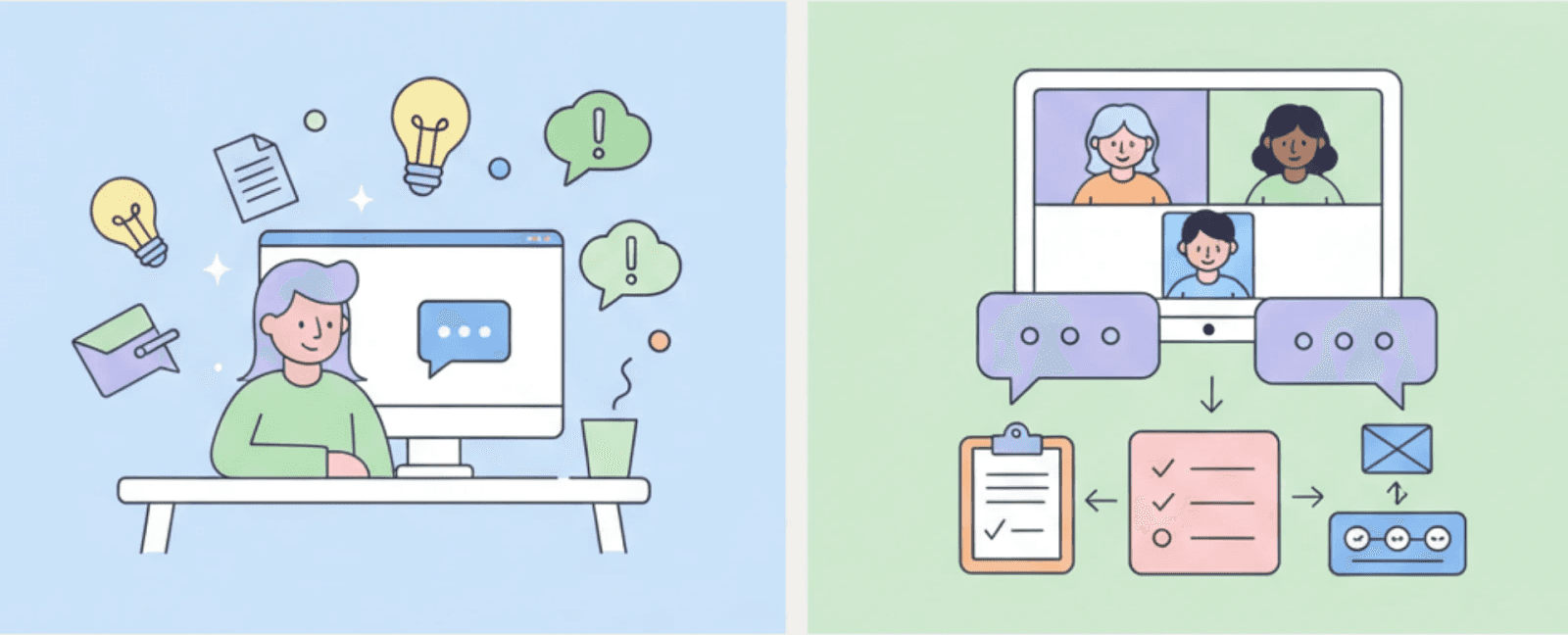
AI tools ab kai teams ke daily work ka hissa ban chuke hain. Meetings, notes, writing, aur planning aksar time bachane ke liye artificial intelligence par rely karte hain. Jaise-jaise aur tools aa rahe hain, sahi tool chunna mushkil hota ja raha hai. Har AI ek hi task ke liye nahi bana hai. Kuch tools logon ko sochne aur likhne mein help karte hain. Difference janna zaroori hai kyunki galat tool help karne ke bajaye kaam ko slow kar sakta hai.
Yeh article ChatGPT aur Otter AI Chat ka clear aur practical tarike se comparison karta hai. Yeh explain karta hai ki har ek tool kaise kaam karta hai, woh kis cheez mein best hai, aur real workflows mein kahan fit hota hai. End tak, aap samajh jayenge ki kaun sa tool aapki zaroorat ko support karta hai aur kyun.
<CTA title="Plan and Write With More Control" description="Use Jenni to organize ideas, guide research, and improve writing without losing ownership" buttonLabel="Try Jenni Free" link="https://app.jenni.ai/register" />
Otter AI Chat ko Samajhna
Otter AI Chat meetings ke aas-paas design kiya gaya hai. Iska main purpose spoken conversations ko capture karna aur unhe clear, useful records mein badalna hai, ek aisa role jiski charcha aksar structured settings mein educational AI tools ko evaluate karte waqt hoti hai. Memory ya ghabrahat mein banaye gaye notes par reply karne ke bajaye, teams baad mein review kar sakti hain ki kya kaha gaya tha aur aligned reh sakti hain.
Otter ek transcription tool ke roop mein shuru hua tha. Time ke saath, yeh ek full meeting assistant ban gaya. Aaj, yeh sirf words ko likhne se zyada kaam karta hai. Yeh teams ko samajhne mein help karta hai ki kya hua, kya faisla liya gaya, aur aage kya karne ki zaroorat hai.
Otter AI Chat ke Core Features
Otter AI Chat live conversations ko structured information mein badalne par focus karta hai. Yeh meetings ke dauran sunta hai aur discussion mein bina kisi rukawat ke real time mein speech ko process karta hai.
Iske main features mein shaamil hain:
Meetings ke dauran Real-time transcription
Meetings end hone ke baad Automatic summaries
Spoken decisions se banaye gaye Action items
Past meetings se liye gaye Context-based answers
Yeh features manual note-taking ki zaroorat ko kam karte hain aur un concerns ko dur karte hain jo aksar AI-based transcription ki accuracy, consistency aur follow-through ke aas-paas uthte hain. Time ke saath, teams discussions ka ek searchable record bana leti hain jo continuity aur accountability ko support karta hai.
<ProTip title="💡 Pro Tip:" description="Use Otter in recurring meetings to build a decision history your team can reference later" />
Har Tool Kahan Peeche Reh Jata Hai
Koi bhi AI tool sab kuch perfect nahi kar sakta. ChatGPT aur Otter AI Chat ki limits ko samajhna frustration aur misuse se bachne mein madad karta hai.
ChatGPT team settings mein struggle karta hai. Yeh meetings ko nahi sunta. Yeh shared decisions ko tab tak yaad nahi rakhta jab tak users unhe copy karke paste na karein. Jab bahut se log involve hote hain, toh context kho sakta hai. ChatGPT prompts par bhi bohot zyada depend karta hai. Agar users unclear hain, toh output vague ho jata hai. Yeh isey group work ke liye kam reliable banata hai jahan consistency ki zaroorat hoti hai.
Otter AI Chat ki bhi limits hain. Yeh poori tarah se meetings par focused hai. Spoken conversations ke bahar, yeh bohot kam support offer karta hai. Yeh long documents draft karne, naye ideas explore karne, ya complex topics seekhne mein zyada madad nahi karta. Agar koi team aksar nahi milti hai, toh Otter ki value kam ho jati hai.
Yeh limits kamiya nahi hain. Yeh design choices ko reflect karti hain. ChatGPT broad aur flexible hai. Otter narrow aur deep hai. Problems tabhi aati hain jab teams ek tool se dusre ko replace karne ki umeed karti hain.
Yeh Tools Time ke Saath Kaam ko Kaise Shape Karte Hain
AI tools sirf time nahi bachate. Yeh dheere-dheere shape karte hain ki teams kaise kaam karti hain, sochti hain aur decisions leti hain.
Jo teams Otter AI Chat par reply karti hain, woh better records banati hain. Decisions ko track karna aasan hota hai. Naye members past meetings ko review kar sakte hain. Kam details lost hoti hain. Time ke saath, yeh repeated debates aur meeting fatigue ko kam karta hai. Kaam zyada consistent ho jata.
ChatGPT kaam ko ek alag tarike se shape karta hai. Iska GPT-3.5 se GPT-4 tak ka evolution reasoning depth ko behtar banata hai, jisse exploration aur early thinking time ke saath aur structured ho jati hai. Users ideas ko test karte hain, drafts ko rewrite karte hain, aur thoughts ko clarify karte hain. Yeh learning aur planning ko speed up kar sakta hai. Time ke saath, individuals zyada confident writers aur thinkers ban jaate hain.
Problems tab aati hain jab tools ka galat istemal kiya jata hai. Discussions ko replace karne ke liye ChatGPT par depend rehna shared understanding ko kamzor kar sakta hai. Bina soche-samjhe Otter par rely karna passive meetings ki taraf le ja sakta hai. Best outcomes tabhi aate hain jab tools thinking ko support karein, usey replace nahi.
Meetings ke Andar Real-Time Collaboration
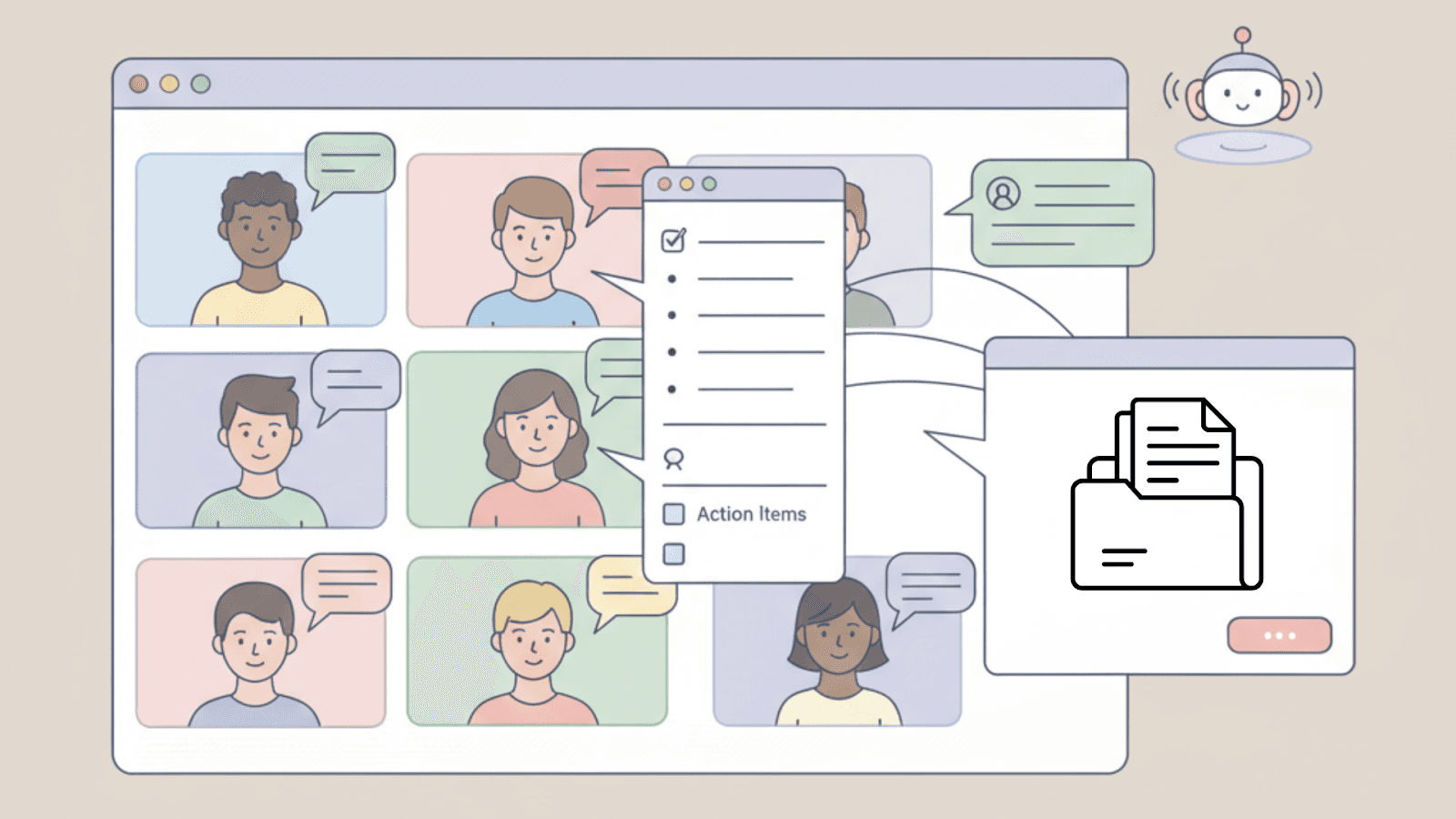
Otter AI Chat tab kaam karta hai jab meetings chal rahi hoti hain. Yeh value add karne ke liye meeting khatam hone ka wait nahi karta. Team members discussion ke dauran hi iske saath interact kar sakte hain jab clarity sabse zyada matter karti hai.
For example, koi pooch sakta hai ki last meeting mein kis baat par agreement hua tha. Otter un answers ko pehle ke transcripts se seconds mein nikal sakta hai. Yeh repeated debates ko rokne mein madad karta hai aur discussions ko aage badhata hai.
Otter late join karne walon ko bhi support karta hai. Agar koi meeting shuru hone ke baad join karta hai, toh woh jaldi se review kar sakta hai ki unhone kya miss kiya. Yeh sabko ek hi page par rakhta hai aur fast-moving conversations ke dauran friction ko kam karta hai.
ChatGPT ke Peeche ki Technology
ChatGPT ek conversational AI hai jo OpenAI ke GPT architecture par bana hai. Yeh kaise kaam karta hai iska ek quick guide dekhne ke liye, check karein what Chat GPT is. Yeh ChatGPT model written input ko samajhne aur natural, human-like way mein respond karne ke liye design kiya gaya hai. Meetings par focus karne ke bajaye, yeh dialogue, ideas, aur text-based tasks par focus karta hai.
ChatGPT bade paimane par text se patterns seekhta hai. Yeh isey questions ke answer dene, concepts ko explain karne, aur kai topics par content generate karne ki accessibility deta hai. Iski strength specialization ke bajaye generalization se aati hai.
ChatGPT Kis Liye Design Kiya Gaya Hai
ChatGPT tab sabse achha kaam karta hai jab users clear questions poochte hain ya clear prompts dete hain. Yeh tab aur zyada notice hota hai jab ChatGPT ka comparison OpenAI Playground jaise tools se kiya jata hai, jahan prompt structure directly output quality ko shape karta hai.
Common uses mein shaamil hain:
Complex topics ko simple terms mein explain karna
Text likhna aur edit karna
Ideas brainstorm karna
General knowledge questions ke answer dena
<ProTip title="📝 Pro Tip:" description="Use ChatGPT to prepare ideas or outlines before meetings begin" />
ChatGPT ek Personal Assistant ke Roop Mein
ChatGPT one-on-one settings mein sabse achha kaam karta hai. Yeh ek meeting tool ke bajaye ek thinking partner ki tarah act karta hai. Users conversation ko guide karte hain, aur AI step by step respond karta hai.
Yeh flexible hai, par us flexibility ke liye direction ki zaroorat hoti hai. Strong prompts focused answers ki taraf le jaate hain. Weak prompts aksar vague results dete hain. Yeh ChatGPT ko individuals ke liye powerful banata hai, par un teams ke liye kam structured banata hai jo shared context par rely karti hain.
Core Features & Capabilities
ChatGPT aur Otter AI Chat AI ka bohot alag tarike se use karte hain. ChatGPT flexible thinking, writing aur learning ko support karta hai. Otter AI Chat meetings ke dauran shared understanding ko support karta hai.
Niche di gayi table unke core features ka side-by-side comparison karti hai aur dikhati hai ki har ek tool different workflows mein kaise fit hota hai.
Feature Comparison Overview
Feature | ChatGPT | Otter AI Chat |
Knowledge Base | Kai topics aur domains mein broad knowledge | Recorded discussions par based meeting-specific insights |
Real-Time Collaboration | Targeted one-on-one interaction | Meeting participants ke beech collaboration ke liye bana hai |
Content Generation | Prompts par based text generation | Meeting summaries, action items, aur follow-ups |
Integration with Other Platforms | Limited native integrations, mostly API ke through | Strong integrations, khas karke video conferencing tools ke saath |
Data Security | Encrypted data ke saath limited conversation storage | Meeting data protected hai aur third parties ke saath share nahi kiya jata |
User Feedback & Reception | Versatility aur wide use cases ke liye jana jata hai | Meeting clarity aur productivity ko behtar banane ke liye valued hai |
Learning Curve | Moderate, prompt practice ke saath behtar hota hai | Teams ke liye use karne mein easy aur intuitive |
Languages Supported | Multiple languages ko support karta hai | Primarily English, expanding support ke saath |
Pricing | Free tier ke saath subscription-based | Free aur premium plans ke saath subscription-based |
<ProTip title="📊 Pro Tip:" description="Use this table to match the tool to how your team actually works" />
In Differences Ka Practice Mein Kya Matlab Hai
ChatGPT breadth offer karta hai. Yeh lagbhag kisi bhi topic par baat kar sakta hai aur kai tasks ke liye adapt ho sakta hai. Yeh research, writing, learning aur early planning ke liye useful banata hai. Agar aap everyday work ke liye research-first assistants ko evaluate kar rahe hain, toh hamara ChatGPT vs Perplexity AI comparison dekhein. Yeh open thinking aur exploration ko support karta hai, khas kar individual users ke liye.
Otter AI Chat ek narrow space ke andar depth offer karta hai. Yeh meetings par focus karta hai. Yeh time ke saath context, decisions aur action items ko yaad rakhta hai. Yeh un teams ke liye useful hai jo aksar milti hain aur jinhe consistent follow-through ki zaroorat hoti hai.
Dono mein se koi bhi tool overall better nahi hai. Har ek tabhi best kaam karta hai jab use usi role ke liye use kiya jaye jiske liye use design kiya gaya tha.
Integration aur Workflow Fit
Ek tool kya kar sakta hai yeh tab tak matter nahi karta jab tak woh daily work mein fit na ho. Hatta ki powerful tools bhi fail ho jate hain jab woh habits ko interrupt karte hain ya extra steps add karte hain. Jo tools existing workflows mein blend ho jate hain, unka use bina kisi friction ke zyada hota hai.
ChatGPT Workflows Mein Kaise Fit Hota Hai
ChatGPT mostly apne hi interface mein rehta hai. Users questions poochte hain, prompts dete hain, aur answers receive karte hain. Kuch teams isey APIs ke through connect karti hain, par yadatar log isey directly use karte hain.
Yeh setup individual tasks ke liye achha kaam karta hai. Yeh shared workflows ke liye utna natural nahi hai jab tak teams iske aas-paas systems na banayein. ChatGPT thinking aur drafting ko support karta hai, par yeh apne aap group processes ko manage nahi karta.
Otter AI Chat Workflows Mein Kaise Fit Hota Hai
Otter AI Chat directly Zoom jaise meeting platforms ke saath integrate hota hai. Yeh iske adoption ko aasan banata hai. Teams ko is baat ko badalne ki zaroorat nahi hai ki woh kaise milti hain ya notes leti hain.
Otter automatic tarike se meetings join karta hai. Yeh background mein sunta hai aur jo kaha jata hai usey record karta hai. Jab meeting khatam hoti hai, toh notes, summaries aur action items review ke liye ready hote hain. Yeh hands-off setup effort ko kam karta hai aur consistency ko behtar banata hai.
<ProTip title="🔗 Pro Tip:" description="Tools that fit existing habits are adopted faster than tools that require new ones" />
ChatGPT aur Otter AI Chat ko Ek Saath Use Karna
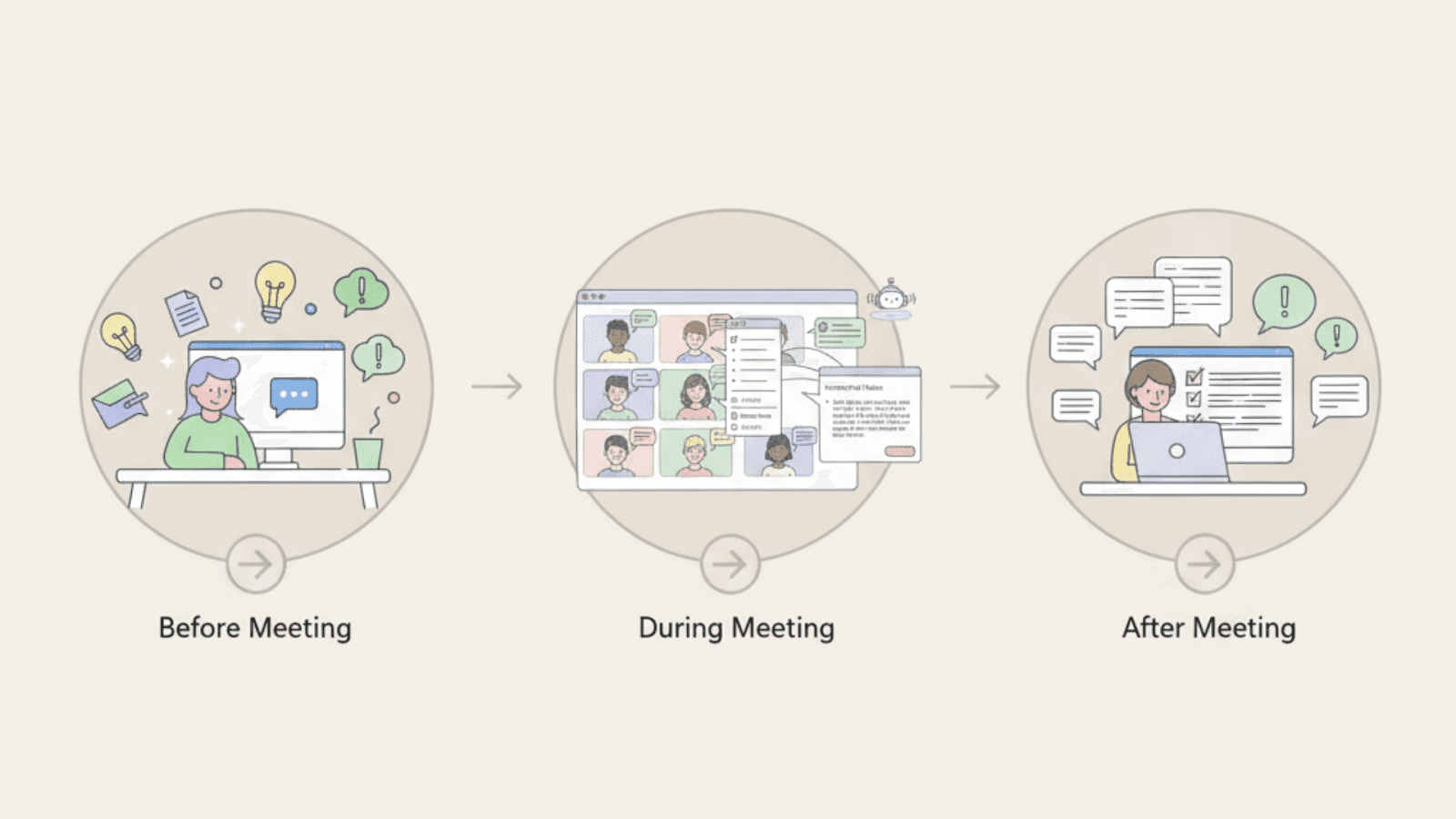
Kai teams kaam ke different stages par dono tools ka use karke best results paati hain. Meetings se pehle, ChatGPT preparation mein help karta hai. Users agendas outline kar sakte hain, goals clarify kar sakte hain, ya questions draft kar sakte hain. Isse discussions zyada focused hoti hain.
Meetings ke dauran, Otter AI Chat capture karta hai ki kya ho raha hai. Yeh decisions ko record karta hai, action items ko track karta hai, aur context ke questions ke answer deta hai. Teams bina discussion roke aligned rehti hain.
Meetings ke baad, ChatGPT outcomes ko process karne mein help karta hai. Teams notes ko summaries, reports ya follow-up messages mein badal sakti hain. Writing aasan lagti hai kyunki thinking work pehle hi ho chuka hota hai. Yeh setup ek clear flow banata hai. ChatGPT thinking ko support karta hai. Otter memory ko support karta hai. Saath milkar, yeh human judgment ko hataye bina mental load ko kam karte hain.
<ProTip title="🔁 Pro Tip:" description="Use ChatGPT before and after meetings and Otter during meetings for the cleanest workflow" />
Use Cases: Kab Kaun sa Tool Use Karein
Sahi tool situation par depend karta hai. Clear use cases choice ko aasan banate hain aur frustration se bachate hain.
Team Meetings aur Collaboration
Scenario: Aapki team har week milti hai aur use clear records ki zaroorat hoti hai.
Best tool: Otter AI Chat
Otter discussions, decisions aur tasks ko automatically capture karta hai. Teams bina kisi extra note-taking ya follow-up work ke aligned rehti hain.
Individual Research aur Writing
Scenario: Aapko content draft karne ya koi topic seekhne mein help chahiye.
Best tool: ChatGPT
ChatGPT jaldi respond karta hai aur aapke questions ke hisab se adapt hota hai. Yeh ideas explore karne, clarity behtar karne, aur kaam ko aage badhane mein madad karta.
Meetings Ke Dauran Fast Decisions
Scenario: Aapko past discussions se quick context chahiye.
Best tool: Otter AI Chat
Otter pehle ki meetings ko recalls karta hai aur real time mein questions ke answer deta hai. Yeh teams ko repeated debates aur missed details se bachne mein help karta hai.
Learning aur Exploration
Scenario: Aap ek naya idea ya concept samajhna chahte hain.
Best tool: ChatGPT
ChatGPT simple language ka use karke step-by-step ideas ko explain karta hai. Yeh learning ko fast aur kam overwhelming banata hai.
<ProTip title="⚖️ Pro Tip:" description="Many teams use both tools for different stages of work" />
Data Security aur Privacy Considerations
AI tools aksar sensitive information handle karte hain. Data kaise store aur protect kiya jata hai yeh samajhna important hai, khas karke professional settings mein.
ChatGPT conversations ko encrypt karta hai aur long-term storage ko limit karta hai. Yeh general use ke liye design kiya gaya hai, formal record keeping ke liye nahi.
Otter AI Chat meeting data ko securely store karta hai aur third parties ke saath content share karne se bachta hai, jo un teams ke liye matter karta hai jo interviews, research, ya sensitive discussions mein AI transcription software ka use karti hain.
Yeh isey un teams ke liye zyada suitable banata hai jinhe documented discussions ya compliance support ki zaroorat hoti hai. Confidential kaam ke liye AI tools ka use karne se pehle hamesha privacy settings ko review karein.
Learning Curve aur Ease of Use
Ease of use adoption ko affect karta hai. Ek tool jo complex lagta hai use aksar ignore kar diya jata hai, chahe woh kitna bhi powerful kyun na ho.
ChatGPT ka learning curve moderate hai. Users time ke saath behtar prompts likhna aur questions ko refine karna seekh kar results ko behtar banate hain.
Otter AI Chat ko adopt karna aasan hai. Yeh meetings ke dauran automatically kaam karta hai aur iske liye bohot kam training ki zaroorat hoti hai. Yeh ise mixed technical skills wali teams ke liye ek strong option banata hai.
Quick Checklist: Aapko Kaun sa Tool Chunna Chahiye?
Jaldi decision lene ke liye is checklist ka use karein.
Otter AI Chat chunein agar:
Aapki team aksar milti hai
Decisions ke clear records chahiye
Follow-ups aksar miss ho jate hain
ChatGPT chunein agar:
Aap independently kaam karte hain
Writing aur learning sabse zyada matter karte hain
Tasks aksar badalte rehte hain
Dono chunein agar:
Aapke kaam mein meetings aur writing dono shaamil hain
Aap kam rework chahte hain
Aap speed se zyada clarity ko value dete hain
Apne Workflow ke Liye Sahi Tool Chunna
ChatGPT aur Otter AI Chat different types ke kaam ko support karte hain. Otter AI Chat un teams ke liye best hai jo meetings, shared discussions, aur clear follow-ups par rely karti hain. ChatGPT individual tasks jaise ideas ke baare mein sochne, naye topics seekhne, aur writing ko behtar banane ke liye behtar kaam karta hai. In differences ko samajhna teams aur individuals ko un tools ko chunne mein help karta hai jo unke actual kaam ko support karte hain.
<CTA title="Turn AI Support Into Clear Writing" description="Jenni helps you plan ideas, structure arguments, and write with clarity without losing control" buttonLabel="Try Jenni Free" link="https://app.jenni.ai/register" />
Jab sahi tool task se match karta hai, toh kaam aasan aur zyada focused lagta hai. Jenni is process mein naturally fit hota hai, users ko thoughts organize karne, writing guide karne, aur apne ideas par control rakhne mein help karke. Sochne ko replace karne ke bajaye, yeh use support karta hai, jisse AI ek distraction ke bajaye ek practical partner ban jata hai.